









Learn Everything About Google Verification Code Scams In 2023

Published on: 03 July 2023 Last Updated on: 04 September 2024
Google Verification Code Scams

Are you searching for information about the Google Verification Code scams? If your answer is a YES, then you are not alone in this.

While it is true that in today’s age of technology and technical advancements, things have become much easier and faster, there is yet another thing that is true. And it is a fact that there is an increased amount of negative actions like frauds and scams that people are having to face and deal with.

One of the most haunting things that is happening right now is the Google Voice Scam or verification code scam. If you have faced it or want to know the best ways to deal with it, you will find this blog to be of help. Keep reading this article till the end to learn more…

What Are Google Verification Code Scams?  
What Are Google Verification Code Scams? 

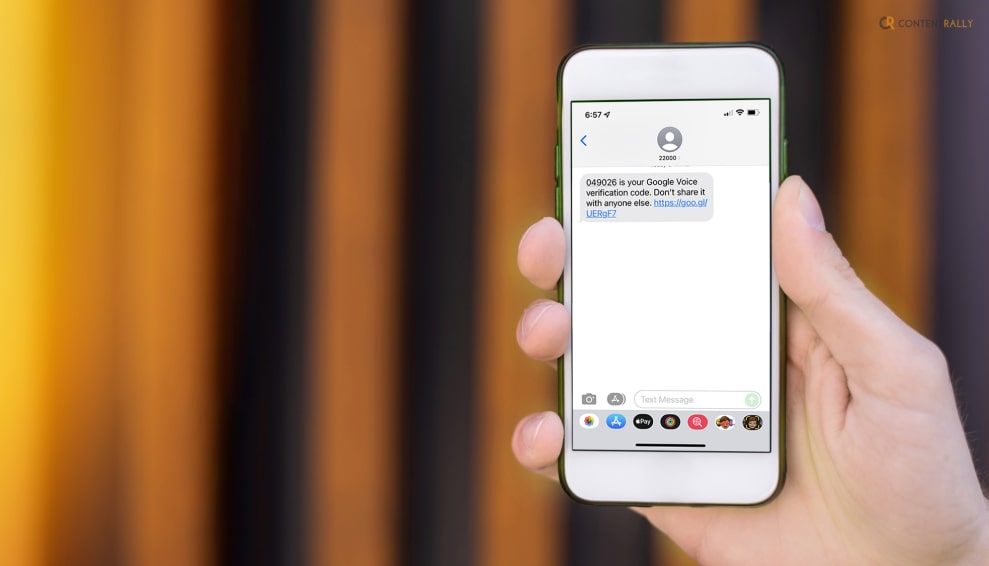
Google verification code scams are fraudulent activities where scammers attempt to deceive individuals into providing them with a Google verification code. These scams often occur through various channels such as email, text messages (SMS), or phone calls.

Also known as Google Voice Scams, this is something that most people have complained about. Consumers purchasing goods or connecting with new friends on the internet may be coerced into using the alternative online phone service, and that is where the fraudulent activity begins.

How Do Google Verification Code Scams Work?  
How Do Google Verification Code Scams Work?  

In case you want to know how this scam takes place, I have you covered. Here is a detailed description of how this scam works:

1. Initial Contact  

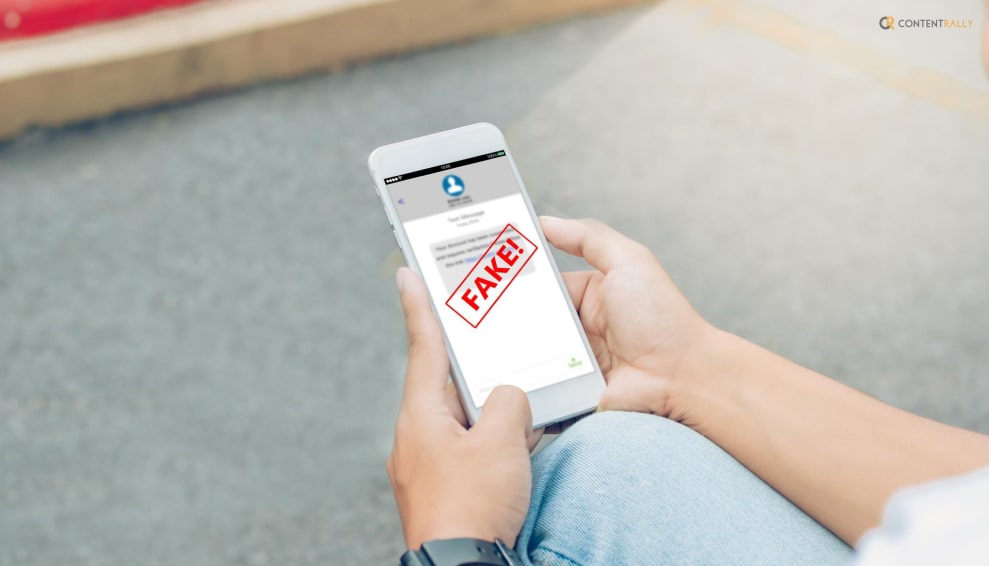
Scammers may initiate contact through an email, text message, or phone call, claiming to be from a reputable organization or service provider, including Google. They might use tactics like urgency or fear to convince you to take immediate action.

2. Deceptive Message  

The scammer usually sends a message that suggests there is a problem with your account or that you’ve won a prize or lottery. They may claim that your account has been compromised or that you need to verify your identity to prevent unauthorized access.

3. Request For Verification Code  

To proceed with the scam, the scammer will ask you to provide a verification code they claim has been sent to your phone number. They may state that this is a security measure or part of the verification process. In reality, they want to gain access to your account.

4. Social Engineering Tactics  

Scammers often employ social engineering techniques to manipulate you into revealing the verification code. They may use persuasive language, impersonate customer support representatives, or create a sense of urgency to pressure you into sharing the code.

5. Unauthorized Access  

If you unknowingly provide the scammer with the verification code, they can use it to gain access to your account, potentially allowing them to steal personal information, commit identity theft, or engage in other fraudulent activities.

Why Is There An Increase In Google Verification Code Scams?  

Why Is There An Increase In Google Verification Code Scams? 
Image Source: cyrus.app

Why would someone send me a google voice verification code to scam me? Well, this is truly one of the most asked questions related to this fraudulent behavior.

Google verification code scams and other forms of phishing attacks have been a persistent threat over the years. Cybercriminals adapt their tactics to exploit new vulnerabilities and trends, making it challenging to provide specific growth statistics. However, it is widely recognized that phishing scams, including those involving Google verification codes, continue to be a significant concern for individuals and organizations.

Here are a few factors that contribute to the growth of these scams:

1. Increased Reliance On Digital Services  

As more individuals and businesses rely on digital platforms and services, scammers have more opportunities to exploit vulnerabilities and trick people into revealing their personal information.

2. Social Engineering Techniques  

Scammers employ sophisticated social engineering tactics to manipulate victims into providing verification codes. They use psychological manipulation, urgent language, and impersonation techniques to gain trust and deceive unsuspecting individuals.

3. Availability Of Personal Information  

With the prevalence of data breaches and leaks, scammers may already have access to some of your personal information. This information can make their phishing attempts seem more credible and convincing.

4. Mobile Device Usage  

As mobile devices become more prevalent, scammers have shifted their focus to target users through SMS-based scams. This includes attempts to trick individuals into sharing Google verification codes received via text messages.

5. Global Nature Of Scams  

Google verification code scams are not limited to specific regions or countries. They can originate from anywhere in the world, making it difficult to enforce laws and track down the perpetrators.

How To Protect Yourself From Google Verification Code Scams?  

How To Protect Yourself From Google Verification Code Scams?

To protect yourself from Google verification code scams, it is crucial to remain vigilant and follow these guidelines:

1. Be Cautious  

Exercise caution when receiving unsolicited messages or calls that request personal information or verification codes. Be skeptical of urgent or alarming requests.

2. Verify The Source  

If you receive a message claiming to be from Google or any other organization, independently verify its authenticity. Contact the company using official contact information to confirm the message is legitimate.

3. Enable Two-Factor Authentication (2fa)  

Set up 2FA for your Google account and other online services whenever possible. This provides an additional layer of security by requiring both a password and a verification code to access your account.

4. Protect Personal Information  

Avoid sharing sensitive information such as verification codes, passwords, or account details with anyone unless you have independently confirmed their identity and legitimacy.

5. Report Suspicious Activity  

If you encounter a Google verification code scam or any other form of fraudulent activity, report it to the appropriate authorities and the company being impersonated. This helps raise awareness and protects others from falling victim to similar scams.

What Does Google Say About Protecting From Google Verification Code Scam?  

What Does Google Say About Protecting From Google Verification Code Scam? 

When you sign up for Google Voice or add a phone to your account, Google sends you a text message with a verification code. You enter this code to activate Voice on your phone. However, there are times when you can face fraudulent statements.

Here are some of the things that you can do to protect yourself from this scam:

1. Don’t Share Your Verification Code With Anyone  

It is essential that you do not respond to any requests for your verification code in order to prevent unauthorized access to your account. This code will never be requested by Google employees. Keep in mind that your Google Account’s security is absolutely necessary.

2. Disconnect Your Number From Google Voice  

Disconnect your phone line if you want Google Voice to stop using your phone number. Your number can be disconnected if:

  • You have been duped into providing your verification code even though you are not a Google Voice user.
  • You don’t want Google Voice to forward calls to you.

Wrapping It Up!  

In case you were searching about Google verification code scams, I hope that this article has been of help to you. If there are any other queries related to the same, feel free to let me know. All that you need to do is scroll down till you reach the bottom of the page. Then leave your queries and suggestions in the comments box below. And I will be there to answer them all for you!

More Resources:

Ankita Tripathy loves to write about food and the Hallyu Wave in particular. During her free time, she enjoys looking at the sky or reading books while sipping a cup of hot coffee. Her favourite niches are food, music, lifestyle, travel, and Korean Pop music and drama.

View all posts

Leave a Reply

Your email address will not be published. Required fields are marked *

Related

Google Sucks

Why Is Google Sucks Trending? Top Reasons And Justifications

If you are of the opinion that Google sucks really bad, then let me tell you something— you are not the only one who thinks like that! Well, if I have to give my personal opinion or take a stand on this particular trend where I take a stand on why I think Google sucks or doesn’t and what is the reason behind my point, there is one thing that I would like to state at the very beginning. And that is the fact that I really LOVE using Google. This is not only the largest and most used search engine in the world but also has a lot of products that people from across the world use o a daily basis. However, there can be times when you do not really prefer some of the things that happen in and around the billion-dollar company. If you have been searching for the reasons why Google sucks, well, you have come to the end of your search. Keep reading this article till the end to learn more about the same… Google Sucks! And Here’s Why!   It is impossible to imagine going about our daily lives without being able to "quickly Google" this or that because Google has become such a large part of our culture. However, there are a few things that most people do not know about when it comes to Google. In this article, I will be talking about these few points which is why Google sucks! So, if that is something that you have been searching for, you do not have to look any further. Here are the top five reasons why Google sucks: 1. It Stores And Steals Data   The fact that there is zero protection for consumers' privacy is the primary reason I believe Google is bad. To put it another way, Google is terrible at ensuring the privacy of its users. Almost all significant websites have experienced data breaches or privacy issues at some point. Google is also no different. It's tougher to avoid as hackers get more skilled and we divulge more of our personal information, but when a company as big as Google experiences one, it's in a different league. Over 500,000 individuals' personal information was exposed due to an API issue on the now-defunct Google+, a serious breach of privacy. It made it possible for third-party apps to access private information as well (third-party programs occasionally need permission to access a small bit of the data held by Google on a particular user in order to function). This could contain extremely private information like your job title, nickname, birthdate, and email address—information that could be easily exploited to access financial information, personal documents, and other things. 2. Pretty Litigious   When you have the wealth and clout that Google possesses, it's essentially game over for businesses and people that cross them. Google has faced a variety of bizarre and interesting legal challenges over the years, including complaints from individuals whose privacy had been infringed by Google Maps photos, fraudulent personal information returned in searches, and inaccurate information that caused harm. Indeed, a class-action lawsuit over click fraud resulted in a $90 million settlement that Google was compelled to accept in 2006. And how many instances of fabricated material, photographs protected by copyright, incorrect and damaging information, and erroneous advertising do you believe Google still engages in? Millions! That's why I think Google is a somewhat litigious company, in my perspective. 3. Does Not Reward Its Content   The issue is that there will always be ways for dishonest people to use the rules of an organization that is solely governed by algorithms for their personal gain. Without having extremely substantial financial resources, it is almost impossible to rank well for your content. Many individuals mistakenly believe that search indexing is a fair process, yet nothing could be further from reality. Information on websites ending in.edu,.gov, and.org, as well as websites with links pointing to them, is given a higher. A greater volume of information is also seen favorably, therefore websites that plagiarize from other sources but have a high publication rate can go up the results by virtue of posting three times per day. Because there aren't enough resources in this area, spam reports are frequently handled without being taken any further. Thus, political propaganda and copycat content are permitted to gain prominence. 4. Follows You Around   Many individuals now have Google-capable devices in their homes. You might have an Android phone with built-in Google tools (including Chrome, Navigation, Play Services, Music, and more), a smart TV, a laptop that runs searches, or an Alexa-enabled speech assistant in your home. Google will now constantly pursue you across the web with advertising content pertaining to those themes if it determines that you are interested in something. Therefore, if you ever looked for something mildly embarrassing, it might still be lying around in your advertisement cookies, waiting to be brought up at a meeting at work or when the in-laws visit. Additionally, Google has ingeniously buried the privacy policy settings for all of this data in places where most people wouldn't think to delete them. However, doing so wouldn't stop Google from keeping the information they already have about you. 5. Site Indexing Issues   I am aware that Google's core business and origin was site searching, and some could claim that since they are currently ranked first, they are succeeding well. I concur in part. Here is my justification on why I think Google search indexing is bad. I've heard that Google's search indexing and ranking are "democratic" quite a bit. Simply said, that is untrue. Given that backlinks from.org,.gov, and.edu domains are more valuable than those from other domains and that they are frequently acquired through donations and sponsorship, this is only democratic in the sense of a large corporation. Today, it's actually very tough to become very successful without finance and without advertising on the Internet. Wrapping It Up!   In case you were searching for the answer to why is Google Sucks trending these days, I hope that this article has been of help to you. If there are any other queries related to the same, kindly feel free to let me know. All that you need to do is scroll down till you reach the bottom of the page. Then leave your comments and queries in the box below. Do not forget to share your suggestions. And I will be there to answer them all for you! More Resources: WiFi Security: Mediocrity To Excellence Avoid These 5 Mistakes Before Starting An SEO Curious About Search Engine Optimization? Let’s Get to Its Roots

READ MOREDetails
Google Play gift card balance

Google Play Gift Card Balance: Everything You Need To Know About It

Are you an avid Android user who loves exploring the vast world of apps, games, and digital content on Google Play? If so, you've probably come across Google Play gift cards at some point. These cards are a convenient way to add credit to your Google Play account, allowing you to purchase apps, games, movies, music, and more. In this guide, we'll dive deep into the world of Google Play gift card balances, from how to check your balance to tips on making the most of your credit. What Are Google Play Gift Cards?   Image Source: openseauserdata.com Imagine having a secret treasure chest filled with digital wonders just waiting to be unlocked. Well, that's precisely what Google Play gift cards are! These nifty cards are like your golden tickets to the enchanting world of apps, games, music, movies, and more on Google Play. In simpler terms, Google Play gift cards are prepaid cards that carry a magical code hidden beneath a scratch-off layer. This code is your very own spellbook, ready to conjure digital riches. You can find these cards in various flavors, from a humble $10 to a majestic $100, giving you the power to choose how much treasure you'd like to amass. But the real charm of these cards is how they work. Just imagine you're a wizard (a tech-savvy one, of course) and you've uncovered the magical incantation. With a flick of your digital wand (or just your phone), you open the Google Play Store and, in the secret menu, you choose "Redeem." That's where the magic happens. You gently whisper the code into the store's ear, and voilà! Google Play recognizes your spell and adds the card's value to your account. It's like depositing gold coins into your personal vault but in the digital realm. Now, you're ready to explore the mystical aisles of the Play Store. From apps that can turn you into a guitar-strumming rockstar to games that transport you to far-off galaxies, your Google Play gift card balance is your passport to a world of endless entertainment and productivity. So, in a nutshell, Google Play gift cards are your tickets to a digital adventure filled with apps, games, movies, music, and more. It's like having your very own treasure map to the digital realm, and the best part is, you get to choose the loot! Where Can You Buy Google Play Gift Cards?   Image Source: wealthofgeeks.com So, you've got the itch to dive into the world of Google Play, but how do you get your hands on those magical Google Play gift cards? Fear not, intrepid digital explorer, for we're about to unveil the treasure map to these coveted cards. Imagine this: You're strolling through the aisles of your neighborhood supermarket, a shopping cart filled with essentials and a sense of anticipation. As you round a corner, you spot them – Google Play gift cards! Nestled among the snacks and magazines, they beckon like hidden treasures waiting to be discovered. But that's not the only place these gems are hidden. Picture yourself at the local convenience store, grabbing a quick snack for the road. Right there by the cash register, they're hanging on a display, waiting for someone with an eye for adventure. Feeling tech-savvy and prefer the click of a keyboard to the buzz of the store? No worries! Online marketplaces like Amazon are your trusty companions. With a few clicks and the power of the internet, you can have a virtual Google Play gift card winging its way to your email in mere moments. Even big-box electronics stores have hopped on board the digital journey. Imagine strolling through aisles of gadgets and gizmos when, lo and behold, a Google Play gift card display appears like a portal to digital delight. How To Redeem A Google Play Gift Card?   Redeeming a Google Play gift card is like unlocking a treasure chest of digital wonders. It's a simple process that brings the power of choice to your fingertips. Imagine you're holding that sleek, shiny gift card in your hands, eagerly waiting to turn it into app-filled excitement. First, you'll want to scratch off the secret code on the back. It's hiding beneath a silvery layer, waiting for you to reveal its magic. Now, take out your trusty Android device, the portal to your digital kingdom. Open the Google Play Store app – it's the gateway to your dreams. In the upper-left corner, you'll spot three horizontal lines, like a secret code of your own. Tap on them to open the menu. In the menu, you'll find an option that's music to your ears: "Redeem." It's your ticket to unlocking your gift card's value. Tap on it and enter the unique code you unveiled earlier, making sure each digit dances into place. With a tap on "Redeem," Google Play will spring into action, verifying your code and adding the gift card balance to your account. It's like depositing gold coins into your digital vault. A confirmation message will pop up, and you'll know you've successfully claimed your treasure. Now, your Google Play account is loaded and ready for action. You can explore the vast realm of apps, games, movies, music, and more with the power of your gift card balance. Checking Your Google Play Gift Card Balance   Image Source: techbanta.com Checking your Google Play gift card balance is essential to keep tabs on your available funds for app purchases, entertainment, and more. Fortunately, it's a straightforward process, and we'll walk you through various methods to ensure you can always stay in the know about your Google Play credit. 1. Using The Google Play Store App   The Google Play Store app is your gateway to the world of Android apps and digital content. It's also where you can easily check your gift card balance. Here's how: Step 1: Open The Google Play Store App.   Unlock your Android device and locate the Google Play Store app. It's usually represented by a colorful triangular play button icon. Give it a tap to open. Step 2: Access The Menu.   In the upper-left corner of the Google Play Store, you'll notice three horizontal lines (also known as the "hamburger menu"). Tap on this icon to open the menu. Step 3: Navigate To "Payment Methods."   Scroll down the menu until you find "Payment methods." It's typically located near the middle of the list. Give it a tap to proceed. Step 4: View Your Google Play Balance.   Once you're in the "Payment Methods" section, you'll see a summary of your payment methods, including your Google Play balance. Your balance will be displayed prominently at the top of the screen, so you can easily check how much credit you have available. Pro Tip: This method is convenient and accessible if you frequently use the Google Play Store app on your Android device. 2. Using The Google Play Website   You can also check your Google Play gift card balance from the comfort of your computer using the Google Play website. Here's how: Step 1: Visit The Google Play Website Open your preferred web browser and go to the Google Play website. Make sure you're signed in with the same Google account that's associated with your gift card. Step 2: Access Your Profil In the upper-right corner of the Google Play website, you'll see your profile picture or initials. Click on it to access a dropdown menu. Step 3: Select "Payments & subscriptions" In the dropdown menu, you'll find "Payments & subscriptions." Click on this option to proceed. Step 4: Check Your Google Play Balance You'll be directed to a page where you can view and manage your payment methods and subscriptions. Your Google Play balance will be visible on the screen, allowing you to see your available credit at a glance. Pro Tip: Using the Google Play website is a convenient way to check your balance if you're on your computer or prefer to access it through a web browser. 3. Checking By Phone   If you prefer a more hands-off approach or are in a hurry, you can check your Google Play gift card balance by phone. Here's how: Step 1: Dial Google Play Customer Support On your phone, dial the customer support number provided by Google Play. The number may vary depending on your location, so be sure to check the official Google Play support page for the correct number. Step 2: Follow The Automated Prompts Once you're connected, follow the automated prompts provided by the phone system. Typically, there will be an option to check your gift card balance. Listen carefully and select the appropriate option. Step 3: Hear Your Balance The automated system will provide you with the current balance on your Google Play gift card. Make sure to jot down or remember the amount for reference. Pro Tip: Checking your balance by phone is a convenient option when you're on the go and need quick access to your credit information. 4. Gift Card Receipt   Image Source: storage.googleapis.com In some cases, especially if you have a physical gift card, the original receipt from the purchase of your gift card may include your current balance. Be sure to keep your receipt in a safe place, as it serves as proof of purchase and can be helpful if you ever need to verify your balance. Pro Tip: Consider storing your gift card receipt digitally or in a secure physical location to ensure you have a backup record of your balance. Managing Your Google Play Gift Card Balance   You've got that shiny Google Play gift card burning a hole in your pocket, and now it's time to dive into the digital playground. Let's talk about how you can maximize your Google Play balance, making sure those virtual dollars get put to good use. 1. App And Game Bonanza   Picture this: You're browsing the Google Play Store, and you stumble upon that app you've been eyeing for ages. It's time to pounce! Your Google Play gift card balance is your golden ticket to unlocking premium apps and games without resorting to your trusty credit card. Feel the rush of gaming like a pro or boosting your productivity with premium apps - all with a swipe of your Google Play gift card. 2. Silver Screen Dreams   Who needs a movie night out when you have the cinema in your pocket? With your gift card balance, you can rent or purchase movies and TV shows from Google Play Movies & TV. It's like having your own personal movie theater, complete with popcorn and comfy pajamas. 3. Musical Magic   Music lovers, rejoice! You can use your balance to subscribe to Google Play Music, now known as YouTube Music. No more annoying ads interrupting your jam sessions. Rock out to your favorite tunes, discover new artists, and create epic playlists with the power of your Google Play gift card. 4. Literary Escapes   Bookworms, this one's for you. Google Play Books offers a treasure trove of ebooks and audiobooks waiting to transport you to different worlds. Whether you're into thrilling mysteries or heartwarming romance, your gift card balance can open the doors to countless literary adventures. 5. Subscription Sensation   Ever heard of Google Play Pass? It's your all-access pass to a world of apps and games without the nuisance of ads or in-app purchases. And guess what? Your balance can cover the cost. Dive into a vast selection of premium content, from games that'll keep you entertained for hours to productivity apps that make life easier. 6. Powering Up In-Game   For the gamers out there, your Google Play gift card balance isn't just credit; it's your secret weapon. Use it to get that coveted in-game currency, unlock game-changing upgrades, and snag those epic items that'll give you the edge over your digital foes. 7. Spreading The Joy   Feeling generous? Share the love by gifting apps, games, movies, or music to friends and family. Your Google Play balance can cover the cost, making you the hero of the day. Spread smiles one virtual gift at a time. 8. Google One Storage Stash   If you're a Google One subscriber, your balance can come in handy to pay for your storage plan. Keep your precious photos, documents, and memories safe and sound in the cloud with ease. Tips For Maximizing Your Google Play Credit   Last, but not the least,  let's dive into those tips for making the most of your Google Play credit. Think of it as a guide to getting the best bang for your buck while enjoying all the digital goodness Google Play has to offer. 1. Wait For Sales   One savvy way to stretch your Google Play credit is to keep an eye out for sales and promotions. Just like your favorite stores have seasonal discounts, so does Google Play. Apps, games, and even movies often go on sale, sometimes at deep discounts. So, if you can hold off on that purchase for a little while, you might snag it at a better price during a sale. It's like getting a discount on top of a discount! 2. Combine Payment Methods   Got a Google Play gift card but it's not quite enough to cover that awesome app or movie you want. No problem! You can use your gift card balance along with a credit or debit card to make up the difference. It's a smart way to maximize your credit and still get what you want. So, don't be shy about mixing payment methods to get what you're after. 3. Set A Budget   It's easy to get carried away when you have Google Play credit burning a hole in your digital pocket. To keep your spending in check and make your credit last longer, set a budget. Decide how much of your credit you want to use for apps, games, or other content. Having a budget helps you enjoy your digital shopping spree without the guilt of overspending. 4. Explore Free Content   Google Play is a treasure trove of free apps, games, books, and more. To make your credit go further, explore the vast selection of free content available. You might just find a gem among the freebies that keeps you entertained without spending a cent of your credit. It's a great way to be frugal while still enjoying the best of what Google Play offers. 5. Share With Family   If you're part of a tech-savvy family, consider setting up Family Sharing. This nifty feature allows you to share your purchased apps, games, movies, and more with family members. It's like a digital hand-me-down that lets everyone in the family enjoy what you've bought. This way, you maximize the value of your purchases across multiple devices and users. 6. Keep Your Balance Active   Google Play gift card balances typically don't have an expiry date, which is fantastic. However, it's a good practice to use them periodically to keep your account active. Inactive accounts might face issues, so make sure you use your balance once in a while. Whether it's grabbing a new app, renting a movie, or buying a book, a little activity keeps your Google Play world running smoothly. What Are Advantages Of Using Google Play Gift Card? Image Source: lowyat.net Now, you might be thinking about how they can be better than other methods of payment. I am here to help you out with that! Let's dive deeper into the advantages of using Google Play gift cards. These little plastic or digital wonders offer a host of benefits for Android users looking to enhance their digital experience. Here are some of the that you should know about: 1. Convenience   Google Play gift cards are all about convenience. They allow you to add funds to your Google Play account without the need for a credit or debit card. This is particularly handy if you prefer not to share your financial information online or if you're dealing with a tight budget and want to keep better track of your app and content spending. Imagine this scenario: you're on a road trip, and you suddenly decide you want to download a few new apps or games to keep yourself entertained. With a Google Play gift card, you can easily redeem it on your smartphone and start shopping right away, no need to dig out your credit card or worry about data security on public Wi-Fi. 2. Budget-Friendly   Managing your finances is crucial, and Google Play gift cards can be a valuable tool in budgeting your digital expenses. When you redeem a gift card, you're essentially setting a spending limit for yourself. Once the balance is used up, you won't be able to make any more purchases until you add more funds. This budget-friendly feature is excellent for parents who want to control their children's spending on apps and games. Just load a specific amount onto the gift card, and your kids can enjoy their favorite digital content within limits. 3. Avoiding Unexpected Charges   Have you ever checked your bank statement and been surprised by a series of small charges for in-app purchases or subscriptions? Google Play gift cards help you avoid these unexpected charges by allowing you to prepay for content. When your gift card balance runs out, you won't accidentally incur additional charges unless you choose to add more funds. This is especially useful if you've linked your Google Play account to a shared credit card or if you have multiple users on a single device. Gift cards help prevent those moments of "I didn't realize I was being billed for that." 4. Security   Online security is a paramount concern for many users, and rightly so. With Google Play gift cards, you can add funds to your account without sharing sensitive financial information. This means you can enjoy all the digital content Google Play has to offer with an extra layer of security. Even if you're shopping on a public Wi-Fi network, you can rest assured that your gift card redemption is a relatively safe process. It's a great way to protect your personal and financial data while still indulging in your favorite apps and media. 5. Gifting And Sharing   The act of gifting is made incredibly easy with Google Play gift cards. They make fantastic presents for friends and family, especially for those who are tech-savvy or have a passion for digital content. Whether it's a birthday, holiday, or just a surprise gesture, a Google Play gift card can bring a smile to someone's face. Furthermore, Google Play Family Sharing allows you to share your purchased content, including apps, games, movies, and books, with family members. If you've stocked up on Google Play credit through gift cards, it becomes a shared resource that benefits the whole family. Each member can use it to purchase their desired digital goodies. 6. No Expiry Date   One of the best things about Google Play gift cards is that they typically have no expiry date. Unlike some other gift cards that lose their value over time, your Google Play balance remains intact until you decide to use it. This means you can redeem a card and take your time deciding what to spend it on, whether it's next week or a year from now. Wrapping It Up!   Google Play gift cards are a convenient and versatile way to add credit to your Google Play account, unlocking a world of digital content and entertainment. By understanding how to redeem, check, and manage your gift card balance, you can make the most of your credit while enjoying apps, games, movies, music, and more. Checking your Google Play gift card balance is a simple yet crucial task that allows you to stay informed about your available credit for app purchases, digital content, and more. Whether you prefer using the Google Play Store app, the website, or your phone, or have a gift card receipt handy, these methods ensure you're always in control of your Google Play funds. In case you want to know about how to check your Google Play gift card balance and more, I hope that this blog has been of help to you. If there are any other queries related to the same, feel free to let me know. All that you need to do is scroll down till you reach the bottom of the page, Then leave your comments and suggestions in the box below. And I will be there to help you out! Learn More About: “Is Google Chat Safe?” Let’s Find Out 5 Smart Ways To Boost Your Credit Score 5 Tactics to Improve Your Credit Score This Year Everything You Need To Know About Google Play Refund In 2023

READ MOREDetails
On The Display Network, Your Ad Is Eligible To Show On A Webpage If Your:

On The Display Network, Your Ad Is Eligible To Show On A Webpage If Your:

Q1. On The Display Network, Your Ad Is Eligible To Show On A Webpage If Your: The correct answer to the question is “Keywords that match Webpage’s Content” On The Display Network, Your Ad Is Eligible To Show On A Webpage If Your - Detailed Explanation To The Question Now that you know the right answer to “on the display network, your ad is eligible to show on a webpage if your:” I hope now you are eager to know why we have chosen “Keywords Match That Webpage’s Content” as the correct answer! Basically, the display campaign ads will show on a webpage once your keywords match the webpage content. Okay, how do you think the Google ads get ranked? It is because Google’s algorithm is capable of analyzing the content of your webpage and denotes the main theme based on the keywords. If it matches your ad, then Bingo!, nothing can stop your ad from getting visibility. There are several factors based on which the compatibility of your ad is tracked. Examples include language, keywords, topic, latest browsing history of a visitor, location targeting, etc. In essence, this type of target ad is called “ Contextual targeting. ”  What Is Contextual Targeting? Understanding the details of contextual targeting would help you get more relevancy to the question “on the display network, your ad is eligible to show on a webpage if your: ” In simple terms, Contextual targeting is a type of personalized advertising that helps pay-per-click ads to display on related sites. Wanna get started with contextual targeting? Input topics or keywords and your campaign will be all set to appear on Display Network. This procedure kickstarts with adding content topics or keywords to the ad groups in your Display Network Campaigns. Google’s system automatically evaluates each content considering link structure, page structure, text, etc. What To Do To Build A Contextually Targeted Campaign? Keyword Contextual Targeting is actually the procedure of making the automatic placements (keyword-targeted ads) the same as to the Display network sites. Pondering over how to create a contextual targeted campaign? Check out the guidelines of Google in the below section: 1. Optimize Optimization is mandatory in contextually targeted campaigns. For instance, you can keep monitoring the Networks tab and eliminate weak matches. Furthermore, focus on including or deleting keywords, adjusting bidding, and pausing optimized ad groups.   2. Generate Keywords The contextually targeted campaign is all about keywords. Hence, keyword generation forms a crucial part here. Ensure that each group has 5-50 unique pieces keywords contextual to the theme of the ad groups.  3. Define The Ad Groups Make sure that every ad group has particular descriptive themes to explain more about the services or product. Also, you can add branded keywords in keyword-targeted ad groups. 4. Conversion Tracking Implementing conversion tracking is another way to analyze how your campaign is performing. Want in-depth insights about conversion data (site-level)? Then set up Google Ads Conversion Tracking.  5.  Set Bids For Ad Groups Here comes another most crucial requirement for building a contextually targeted campaign- setting ad group bids. To do this, fix the search bid to the prior display network bid at the same level.  ➤ One pro tip - Add Negative Keywords: This might sound astonishing, but adding negative keywords will refrain your ads from appearing on extraneous searches. In this way, the relevancy of the ads will sustain on display network sites.  So on the display network, your ad is eligible to show on a webpage if your keywords match webpage content - It’s justified! Frequently Asked Questions (FAQ) Q1. What Is The Correct Answer? - On The Display Network, Your Ad Is Eligible To Show On A Webpage If Your: On the display network, your ad is eligible to show on a webpage if your keywords match that webpage’s content Q2. What Is An Example Of Contextual Targeting? Contextual targeting facilitates an advertiser in displaying the right ads to the right context. For instance, if an ice cream parlor publishes an ad on a website about Waffle ice cream, it will be a contextual targeting.  Q3. How Effective Is Contextual Targeting? Contextual targeting is all about personalization for users. Eventually, it gives a redefined edge of profitability to the business.  The Bottom Line To conclude, contextual targeting is the main funda in making ads relevant to the Display Network sites. Only upon following it, your ad will be eligible to be displayed on the webpage. Now you know the answer to “ on the display network, your ad is eligible to show on a webpage if your: ” Why don’t you take the next step and apply it on your own business? You will simply rock in terms of visibility and conversions. Did you find this guide informative? Let us know your opinion in the comment area below. We will be pleased to hear your valuable viewpoints. Read Also: Two SEO Trends to Take Advantage of In 2022 Content Optimization: What It Is and How To Do It Things to consider while doing SEO What Do Ad-in And Ad-out Mean In Tennis?

READ MOREDetails