
What Is Facebook Jail – Overview And Explained In 2021

by

18 June 2021

Facebook

Facebook jail

Before we move on to Facebook Jail, first, we must know about the basics. Facebook is one of the most widely used social media sites for connecting with people all around the world and advertising your company. It’s one of the most effective ways to spread your message, get your product and brand in front of your target audience, and more. However, the platform’s massive marketing prospects come with some equally massive drawbacks. 

Facebook’s algorithm has cracked down on political problems, and the famed “Facebook prison” appears to have become even larger, hurting many more individuals than before. For anybody who uses Facebook to sell or advertise their company on a daily basis, Facebook Jail is a well-known issue. It’s critical to understand what it is as a social seller so that you can prevent any issues or disruptions in your usage of the platform. 

What Is Facebook Jail?
What Is Facebook Jail

When Facebook suspends accounts (profiles or business pages) for violating the Facebook Community Standards, whether intentionally or mistakenly, the phrase “Facebook Jail” is used. 

Users have created the phrase “Facebook jail” to describe when someone is barred from accessing their account or publishing on Facebook due to spam or a failure to obey the platform’s standards

For a period of time, Facebook will suspend an account’s ability to publish or access particular features due to infractions, suspect logins, or spammy conduct.

Why Were You Thrown Into Facebook Jail?

There are a variety of reasons why you may be placed in Facebook jail and granted a brief suspension. Unfortunately, you may find yourself accidentally infringing Facebook regulations. Here are a few of the most typical reasons why people find themselves in Facebook jail:

1. Posting To Quickly
Posting To Quickly

One of the most prevalent causes for people being placed in Facebook jail is posting too rapidly on their profile. You may also be reported if you repeatedly publish the same information. The easiest answer to avoiding being blocked for this reason is to keep a constant posting schedule and to always leave some time between postings.

2. Sending Too Many Friend Requests In One Day

Facebook considers it a negative thing if you send too many friend requests from a personal profile, especially if you don’t know the individuals. If this type of conduct is found, your account will most likely be blocked. It’s the same with joining Facebook groups too quickly.

3. Posting Inappropriate Content

Posting sexually provocative content or nudity on Facebook is against their community standards and is forbidden. Even while it may prevent you from posting some really entertaining memes, doing so may result in your account being temporarily or permanently deleted. You should also avoid publishing information that promotes self-harm, hate speech, or credible threats to people or organizations.

4. Too Much Tagging
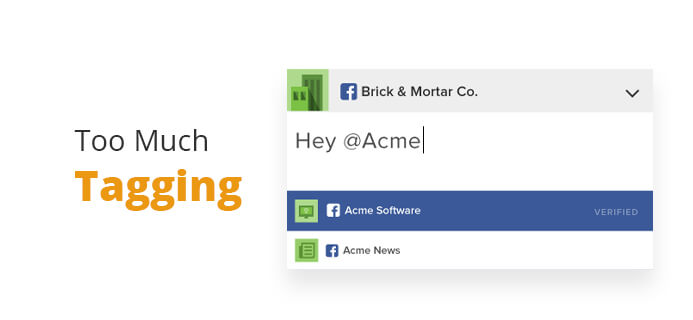
Too Much Tagging

Another reason your account can be disabled is if you regularly react with tags.

5. Using Spam Images Or Videos

If particular photos or videos have been flagged as spam by Facebook (or Google), and you include them in your postings and are accused of spamming others, you might end up in Facebook prison. Fortunately, you can avoid this by writing unique content for your blogs.

What To Expect When You’re Facebook Jail?

Users are unaware that they have imposed limits on their accounts since Facebook does not notify them. Most individuals first find out they’re in Facebook jail when they get an email or when they try to post or send private messages on their account and get the dreadful message: You can’t post right now!

Even if you do receive information from Facebook that your account has been restricted, it will be too late to take anything. This is how you can tell whether you’ve been sentenced to Facebook prison:

  • Your account’s ability to post on your timeline, as well as any pages or groups, has been disabled.
  • You can’t like or comment on other people’s posts or photographs.
  • You are unable to make any comments on the social media network.
  • You are unable to access your account or page.

The consequences on Facebook vary from being unable to post to being entirely barred from getting into your account. These punishments can range in length from a few hours to up to 21 days. 

How To Avoid Facebook Jail In The Future?
How To Avoid Facebook Jail In The Future

Reading and adhering to the community rules, as well as the platform’s Terms and Conditions, is the simplest method to avoid Facebook imprisonment. You’ll find yourself in the sights of the Facebook cops if you’re found using your account in violation of the platform’s rules. However, the recommendations are lengthy and difficult to read, so I’ve compiled a list of things to do (or not do) to keep your account safe. The following are some of them:

  • Separate your postings by a certain amount of time.
  • Don’t publish anything that might get you in trouble, such as photos or memes.
  • Per day, send no more than 50 friend requests.
  • Each day, join no more than ten Facebook groups.
  • When adding or tagging someone, be cautious.
  • Use photos and movies that don’t spam.
  • On each device, log into a single account.
  • Posting material with scripts or automatic tools is not a good idea.
  • Posting comparable stuff in many groups at the same time is not a good idea.
  • Use your genuine identity and act like a real person instead of an impostor or false accounts.

The bottom line is that you must adhere to the platform’s requirements to the letter at all times.

How To Escape Facebook Jail?
How To Escape Facebook Jail

1. Serve Your Sentence

The first and foremost obvious option is to just wait until your “Facebook jail sentence” is completed. Facebook alerts you on when you can access the prohibited features or account again.

2. File An Appeal

If you don’t want to wait, you can simply request a review. Facebook will notify you through email of the outcome of your appeal. Just keep in mind that your appeal could be denied, and your account could be permanently blocked.

3. Create A New Account 

If all else fails and your account is blocked, the only other thing you can do is to forget about your current account and create a new one. Although this may not be perfect for online marketers and business owners, sometimes it is considered the only way to keep going ahead. 

Final Thoughts

This article lists all the different things that can land you in Facebook jail. Use this knowledge to avoid consequences from the social media stage for continued guideline infringements. In other words, you must follow these rules to stay out of Facebook jail.


More Resources:

Subham Saha started his career as a professional web content writer. He has more than 3 years of experience in digital marketing. He also has a great knowledge in SEO, SMO, Website development, etc. He completed his graduation in Electrical Engineering. He is very passionate about building his career in the Digital marketing industry. Subham has a great interest in reading books about Business, Economics, Psychology, Technology, and History.

View all posts

Leave a Reply

Your email address will not be published. Required fields are marked *

All Comments

You can also get flagged for random things like saying 'pickles are my favorite low calorie snack' was determined to be hate speech and given 30 days fb jail! It is getting ridiculous, you never know what words you say will set off the fb bots and get you blocked anymore =(

Related

Selling On Facebook

All That You Need To Keep In Mind Before Selling On Facebook

Facebook is the most popular social media platform right now with over two billion active users and this number just keeps going higher. With cheaper Internet plans all over the world, more users are connecting and using Facebook extensively. It’s no wonder that selling on Facebook is one of the best ways to expand your reach and increase your revenue. However, there are a few things that you need to be aware of and understand before you start the process of selling your products on Facebook. Facebook Pages For Business: Don’t confuse Facebook pages with Facebook that you use to interact with friends and family. Facebook pages are something completely different as it’s made for businesses solely. It provides you a way to understand your customers better and to help build an audience that’s interested in your products. Facebook pages enable you to start selling on Facebook. Here’s how you can create a Facebook page for your business. Step 1: Sign Up Your Business: When you open Facebook you will find a ‘create a page for celebrity, band or business’ button placed below the ‘Sign Up’ button. You need to click on that and this is the Facebook Page that will help you sign up your business. Fill in all the required details to continue. Step 2: Choose Business Category: Next, you will need to specify your business’ niche before you start selling on Facebook. Choose the category ‘Brand or product’ if you have an online store as this will give you the flexibility you need. If you have a physical shop then you can choose ‘Company’ or ‘Local business or place’. Then choose the appropriate category of products that you’re selling. You will then need to name your Facebook page and then click on ‘Get started’. You can link your personal Facebook account with the new store page you created. If you don’t have a personal account yet then create a new one Step 3: Setting Up Facebook Page: You should then start setting up your business’ Facebook page. In order to do this, first, add your business’ logo and write an amazing description. You may want to add some pictures as well. For starters, add all basic information and whatever you feel is important to your page. You can change, upgrade or add more content later on. Step 4: Maintenance of Facebook Page: You need to ensure that whatever you post on Facebook is important because you will be directly communicating with your customers and it will make selling on Facebook easier. Ensure you always post something valuable. For example, you can tell them about new cool products, information such as amazing facts and so on. The idea is to connect with people. The content that you post should be rich but don’t forget that Facebook is all about interaction as well. Word-of-mouth advertising is one of the strongest advertising and you want to make sure that people love your Facebook page so they can recommend you to others. Don’t forget to share comments that praise your business. This will enable others to see it on your page. The Newsfeed is another way in which you can share content such as upcoming events and other types of updates. Your customers will be able to see it as well. Remember, the more people engage with the content you create, the better. How Shopify Makes Selling On Facebook Easy: Shopify makes it simple for you to sell your products directly on Facebook. When you have a Shopify store, you can start selling on Facebook immediately. Shopify’s Facebook integration can be downloaded from the app store for free. You can then log onto your Shopify account and connect the Facebook page of your store. Then simply load the products that you want to sell. The setup is similar to Shopify setup which makes it intuitive, simple, and quick. Make sure you post on a regular basis so that your customers and followers know what you’re up to. Encourage customers to ask questions and answer their questions. Acknowledging the positive comments is a great way to build a strong relationship with your customers as well. Facebook keeps rolling out cool new updates and features for business owners. So make sure you’re always ready to adapt to these new changes so your customers can have the best online shopping experience. Read Also: 10 Of The Best Facebook Pages To Follow Now How To Remove Pname Com Facebook Orca The Definitive Guide To Market Your Business On Facebook Digital Marketing: Utilize Facebook To Support Your Hospitality Business

READ MOREDetails
facebook full site

Why And How To Access Facebook’s Full Site In 2024!

Individuals now rely more and more on their smartphones to satisfy their browsing needs. As a result, websites are now developing two distinct versions: one for mobile devices and another for desktop computers. Depending on the website's coding, there are two versions of the mobile website: regular and lite. The lite mobile website versions display primary content. However, they are devoid of features like menu navigation, link locations, and options. Even other page elements that are more appropriate for a full-screen setting are missing. Applications like Facebook are using adaptive or responsive web design more and more to adapt to screens of any size. This will display content in a logical manner. But Facebook and other mobile websites are frequently lacking in some way. More precisely, Facebook restricts what mobile users can see and do on the site by hiding some features. This approach aims to maintain usability and function more seamlessly on mobile devices. However, power users may find themselves unmet when searching Facebook full site for particular features or functionalities. After all, accessing a website for a particular feature (like dark mode) on a mobile device and not being able to see the option can be annoying. Facebook Full Site: Overview Despite having features that are theoretically identical to those of the desktop version, the Facebook apps for iOS and Android have different navigation. Many of them direct users to the mobile website rather than the app. There is no denying that the Facebook app uses up a lot of RAM and battery life on your phone. Accessing your social feed while on the go may be quicker and easier with the mobile site. Regretfully, the capabilities of Facebook's mobile browser site are not as extensive as those of the app. You are unable to use Facebook Messenger on a mobile device. Instead, it will prompt you to install the Messenger app. It can be annoying to change your settings or remove posts from your newsfeed. You're in luck if you're sick of the limitations on the Facebook mobile site or if you need to adjust a setting that you can't access from the mobile view. You can quickly switch between Facebook's desktop and mobile versions on both Android and iOS devices by selecting a single button. We will explain in depth the steps you must take to use your iPhone or Android device to access Facebook's full site (desktop version) in its entirety.    Difference Between Facebook Full Site And Facebook Mobile Websites are now designed in two versions. One for desktop computers and one for mobile devices. This is happening because people have grown reliant on their cell phones for work, travel, and leisure. But compared to a full-screen environment, the earlier version is devoid of features like menu navigation, link locations, options, and other page elements. The physical size of the screen is the primary distinction between using Facebook on a desktop computer and a mobile device. This results in a better user interface. In contrast to the mobile version, which hides content behind icons, it supports more expanded content to be displayed on screen at once. Because a tablet or iPad provides a more expansive mobile version of the website, tablet users can choose to view websites in desktop mode through browsers. Advantages Of Using Facebook Full Site Facebook does not permit users to access the Facebook desktop site on their phones. This facilitates easy access to Facebook content. As a result, you see the mobile version of Facebook by default when you access it through your browser. Users like using mobile versions because they are relatively faster and more responsive, and they are simple to access without any interruptions. Web optimization services have made sure that clients can easily access information in terms of portability. Additionally, the mobile version makes it simpler to share content, adding to its legitimacy. The average amount of time spent on a website increases with the faster-loading mobile version. That, without the interruption of intrusive advertisements. By navigating through the displayed advertisements, mobile users also find it much easier to purchase or use products advertised on Facebook. You have an advantage with the mobile version over the Facebook full site. It targets a far wider audience and offers a better user experience. Except for layout and navigation, the Facebook app for iOS and Android performs the same functions as the desktop version. The mobile app is simpler, faster, and more responsive than the desktop version, which is typically more functional and complex. How To Access Facebook Full Site On Mobile?    Do you want to check out Facebook on your desktop to take full advantage of the platform? Using the URL is the easiest way to access Facebook's desktop version on your phone. This is how you can do it: In the address bar of the web browser, type www.facebook.com/home.php. You will be prompted with the Facebook login page if you haven't logged in before. Open your Facebook account and log in. It will direct you to the Facebook desktop version if you have already logged in before then. The desktop version of Facebook has features that you can use. But occasionally, it might automatically reroute you to the mobile version. Wrapping Up The aforementioned techniques are beneficial and reasonably simple to use. But it's crucial to remember that Facebook may attempt to force you to use their mobile app again in specific circumstances. Facebook will redirect you to the mobile site if you try to use specific settings or reload the home page. If this happens, you can easily reload the desktop version by using the methods stated above. Lastly, there are issues when attempting to access the desktop site using all browsers. It produced a tablet version that was zoomed out but had the same features as the mobile version. This happened while testing the methods above on Android. This indicates that, regardless of the device you're using, the page is requesting a desktop version of "m.facebook.com." This, in turn, reroutes to the mobile version of Facebook. To load the traditional display, simply reenter "www.facebook.com" into your browser while keeping the "Request desktop site" box checked. If you have thoughts to share or questions to ask about Facebook full site, please leave a comment below. We would love to hear from you. Additional Reading: How To Remove Pname Com Facebook Orca? Facebook Blueprint: Building A Strong Foundation For Social Media Advertising How To Fix “Facebook Message Sent But Not Delivered” Error?: A Complete Guide

READ MOREDetails
Facebook Authentication App

Beyond Passwords: The Future Of Security with Facebook Authentication

It can occasionally be unsettling to realize that anyone can access your Instagram and Threads accounts using your Facebook logins. Yes, making a strong password helps keep hackers out of jail, but what if they figure out what it is? This is the reason behind configuring Facebook two-factor authentication. In this article, we will discuss about Facebook authentication apps that will help you keep your passwords safe. Often referred to as 2FA, it strengthens the security of your account. It requests a verification code from your device each time you try to log in. In this manner, even if someone knows your username as well as password, they still need access to your phone in order to log in. Facebook Authentication App Here's how to set up two-factor authentication on your account from an Android phone, an iOS device, or a web browser, regardless of whether you prefer to use a hardware security key, SMS, or an authenticator app. About Facebook Two-Factor Authentication Two-factor authentication is a standard industry practice for security. Also known as multi-factor authentication, the feature adds an extra layer of security to the app. It not only requires your username and password but also access to any information that only the user has. Facebook Authentication App: How To Activate  On Mobile Device Facebook provides two-factor authentication via SMS, physical security keys, as well as authentication apps. But in most situations, you will probably use the first two. Because a Facebook authentication app is more convenient than SMS and does not require a separate hardware device. The platform suggests using them. In either case, the setup should take less than a minute. Press the three horizontal lines located directly beneath the Facebook Messenger icon on your home screen. This will cause your Facebook profile's menu to open. Navigate to 'Settings & privacy' - the cog-shaped icon is located in the upper right corner of the Facebook app. Select 'Password and security' from the 'Account' settings menu. Navigate to 'Two-factor authentication' by scrolling down this menu. Choose between an SMS or an authenticator app for two-factor authentication security. After selecting, click "Continue." The third-party authenticator, which you can download from many sources if it isn't already installed, will need to be set up. 'Set up on same device' will save the app key if you have the Facebook app. Verify the request to store the key. Choose 'Text message' (SMS) from the 'Select a security method' menu if you wish to use an SMS as your security method or as a fallback in case your authenticator isn't working. Click 'Continue' after choosing the phone number linked to your Facebook account or entering an alternative number to which you would like a code to be sent. Facebook will contact the number you provided with a six-digit code. Press 'Continue' after entering the code. If someone tries to access your account from a device or browser that is not recognized, you will receive a code via text message as part of the active two-factor authentication process. How To Activate Two-factor Authentication For Facebook On Web Browser? Similar steps apply if you primarily use Facebook on a computer to enable two-factor authentication. Here is how you can get the Facebook authentication app for your browser: Go to account settings from your home screen. A thumbnail of your Facebook profile picture will appear there. Navigate to 'Settings' by opening the drop-down menu and selecting 'Settings & Privacy' (the image resembles a cog). Locate and click on the "Security and login" link located on the left side of the screen. Choose "Use two-factor authentication" after swiping down to the "two-factor authentication" menu item. Decide on a two-factor authentication technique. Facebook suggests utilizing an authentication app. You can use Duo Mobile or Google Authenticator. You'll see a QR code on the screen. Use your authenticator app to scan it. Verify the request to store the key. Your account now has an additional layer of protection thanks to the activation of two-factor authentication. Choose 'Text message' (SMS) from the 'Select a security method' menu if you wish to use an SMS as your security method. Or you can use it as a fallback in case your authenticator isn't working. Click 'Continue' after choosing the phone number linked to your Facebook account or entering an alternative number to which you would like a code to be sent. Facebook will contact the number you provided with a six-digit code. Press 'Continue' after entering the code into the box after it appears in a message marked as coming from Facebook. If someone tries to access your account from a device or browser that is not recognized, you will receive a code via text message as part of the active two-factor authentication process. Wrapping Up It is recommended that you utilize the additional Setting Up Extra Security Options while you are in there.  Activate the feature that notifies you of unidentified devices as well as designates three to five friends for when you lose access to your Facebook account. This is a straightforward process that you will be guided through, but you DO need to inform your selected contacts that they must complete it on their end. You will notice the blue "on" indicator indicating that these securities are in place if all three of these have been successfully set up. Finally, remove the extras from any Facebook accounts you may have. In order to conduct business on Facebook, such as managing Facebook pages, running advertisements, and/or using Business Manager, you should only have one personal Facebook account that is configured with two-factor authentication. If you have thoughts to share or questions to ask about the Facebook authentication app, please leave a comment below. We would love to hear from you! Additional Reading: How to Get Help Through Facebook Chat Support? What Is Facebook Touch? Everything You Need To Know About It Facebook Settlement: What Went Down And What Was The Final Result?

READ MOREDetails