Using Social Media to Promote Start-Up Businesses

Published on: 18 July 2017 Last Updated on: 10 September 2024
social-media

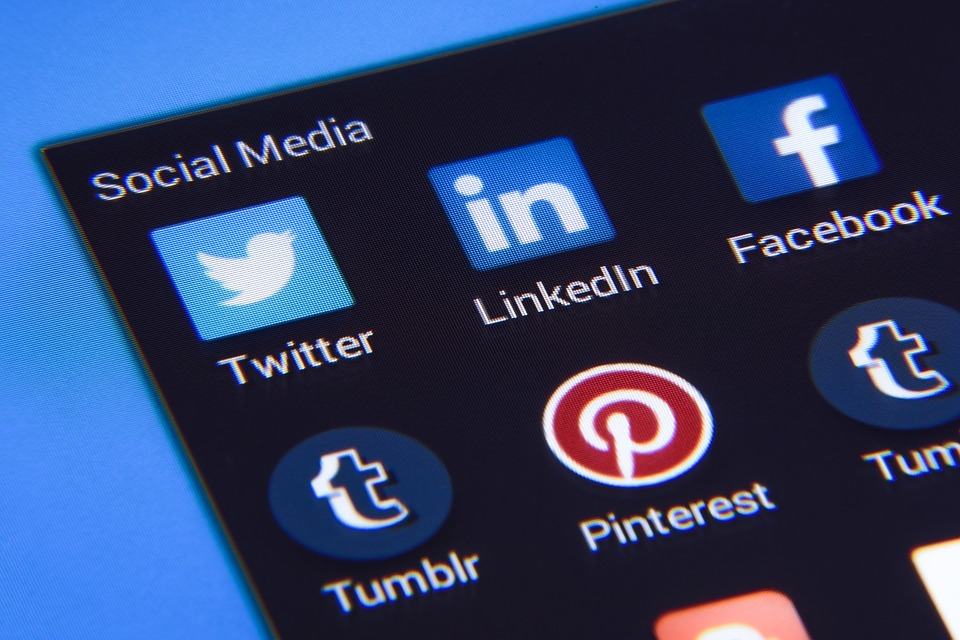
Social media has changed the concept of business marketing. A few years back, huge businesses with big-budget promote their brand in a way which was even more appealing for the customers so their exposure was far better than Start-up businesses. Social media marketing is a source which gives the opportunity to the upcoming business holders to communicate with their clients via their social networking accounts so they can have a better chance to reach to a big audience. There are several popular social media platforms which people are using to promote their business without spending any extra cash. There are three main advantages which we can get from social media,

  1. A huge part of our society is using Facebook, Twitter, LinkedIn, and Instagram so it is easy for a new business owner to reach to a big audience in no time.
  2. When you gain some customers who rely on you for quality, they will start recommending your services/brand to others. New customers will then approach your page and you will have a bigger community for your brand.
  3. Reliability is not a single time earning, you have to improve your services to make your clients even happier with the products they are getting from you. When your clients will be able to contact you, they will ask for something they want from you and you can strengthen the bond between you and them by addressing their demands and replying to their concerns.

Seeing positively, we can enlist so many advantages of using social media to promote your business, the biggest advantage is that it is free of cost and you do not need to spare extra cash to advertise about your brand. But as the title says, we are not only looking at the advantages, we are taking a bigger view of what social media does when we use it to promote any start-up business.

As we are talking about start-up business, it is obvious that a new firm is not yet famous and it needs a lot of effort and a careful approach to pass things positively to the clients. Social media, at a point, can be risky for start-up business promotion. You need to adopt a consistent strategic and professional tone while building your online community. Make sure to entertain each and every client who approaches you at your social media pages. You must keep some points in your mind while managing your social media accounts.

  1. Keep your tone steady and professional.
  2. Use simple language to chat with clients.
  3. Never share any information at general chat panel when clients are asking for a specific service, discount or price, get to their inbox and send a message there.
  4. Keep one thing in your mind that you will never get positive responses only, there will be some people who can criticize you or even talk rudely to you, never get involved in absurd discussions, rather answer them politely If they address you directly.
  5. Make sure to update your content on a regular basis.
  6. Never leave your accounts silent for a while, try posting some material daily.
  7. If you do not have time to manage your social media accounts, hire someone for this purpose but do not leave them unattended.
  8. Try to follow your competitor’s accounts to see what and how they are offering to the clients.
  9. Make sure to check famous brands’ pages to improve the quality of your service.

It needs complete planning to set objectives and reach a targeted audience in a specific time limit. You cannot just go where the waves take you, rather you need to check for each and every word which is being posted from your side. Keep one important thing in your mind, people get bored easily when they get simple sales messages from you or the content that is scheduled to be forwarded automatically, keep your messages personalized and live.

Concluding the discussion, we are giving you a short plan to work with social media to promote your start-up business. Before you take a plunge into the world of social media, wisely plan a few things.

What are you going to say to your audience?

Monitor your speech carefully while you are speaking to your audience. People do not like monotonous replies, keep your tone lively and friendly. Try to give them confidence that their concerns will be taken seriously. Don’t refuse to talk to anyone. It will cause serious damage to your reputation.

Who is going to take the responsibility to say?

Make sure that the member of your team who is going to reply to your clients is a sharp, highly qualified and social person to handle this responsibility. Do not shift this responsibility so often, people like a familiar tone every time they try to contact you.

When you are going to say?

Another important thing to decide is when you are going to post your content, how often you are going to update your post wall, and what will be the schedule of your promotional posts.

Keep everything managed and well prepared and do not take social media as a piece of cake. Remember one thing, it is the best source to uplift your brand if used carefully and it can be the worst jerk to your business if not handled wisely.

Read also:
Abdul Aziz Mondol is a professional blogger who is having a colossal interest in writing blogs and other jones of calligraphies. In terms of his professional commitments, he loves to share content related to business, finance, technology, and the gaming niche.

View all posts

Leave a Reply

Your email address will not be published. Required fields are marked *

All Comments

Good post! We will be linking to this particularly great post on our site. Keep up the great writing

I’m often to blogging and i really appreciate your content. The article has actually peaks my interest. I’m going to bookmark your web site and maintain checking for brand spanking new information.

I’m often to blogging and i really appreciate your content. The article has actually peaks my interest. I’m going to bookmark your web site and maintain checking for brand spanking new information.

Related

How to Download Facebook Videos

How to Download Facebook Videos on Android?

Have you watched a video on Facebook and you would like to download it to your Android? Several people out there are struggling with such downloads. If you are one of them, you can be sure that your struggles have come to an end. Some people believe that it is impossible to save and even keep a local copy of that fun video they came across on online. Facebook has an easy way of doing this especially if you are using an Android device. The most important thing is to follow the simple steps, and you will have the video in your device. In this article, you will get useful tips on how to download Facebook videos on Android. Do you know why several people are struggling with downloading Facebook videos on Android? The reason is that the whole process is not direct because the option is not readily available on the Facebook app. Facebook does not have the intention of allowing users to download a copy of the uploaded videos. However, the app will enable you to save a copy of the video link so that you can view it again any time you feel like doing so. Therefore, you may find it tricky unless you know how to download Facebook videos on Android. Even though most users are comfortable with this arrangement, we have people who prefer to download the video on their personal Android devices. If this is your intention, then the content of this article will be helpful to you. I will take you through the whole process on how to download Facebook videos on Android. There are typically two steps that you should undertake if you want to keep a copy of your video on the Android phone. The initial one involves the video URL or the link. The second section guides you through the actual steps on how to download Facebook videos on Android. This article makes use of the free service to help you in downloading Facebook videos to your Android device. You can be sure you will like the page once you discover that they are offering exemplary services. Step One: Copy the Link Source The first step you need to undertake while downloading Facebook videos on Android is getting the video link. However, I am aware that most people don’t know how to do this. The first thing is to open the Facebook application that is readily available on your screen. After this, you can now go to the video that you would like to download. Tap on the ‘more settings button that you will find on the upper right section. You can easily locate it by looking for an icon that has three dots. It has all the setting functions that you need for your Facebook page. You can now select the ‘copy link’ option then move to the second phase of instructions. Step Two: Downloading the Video to Your Android Device This is the second step that you undertake while downloading Facebook videos on Android. After copying the video link to the clipboard, you can now embark on the process of downloading. Here are the simple steps that you need to follow to achieve this objective. This first step is to open your browser. You can use any browser depending on what is installed in your machine. You will not have any problem with this as long as you know what serves you well. Once the browser is open, you need to visit the following site https://catch.tube/. The beauty of it is that the website offers free services when downloading your Facebook videos to Android. One of the things that you will notice is an empty box beside the red button that states ‘catch the video.’ All you need to do is to enter your URL into this box. From here, you can scroll downwards and search for a red button that states ‘show media list.’ Once you get this button, you can tap on it to proceed. You will realize that the whole process flows so smoothly as long as you know what you are doing. You can now select the video version that you would like to download. The page gives you several options and its upon you to choose what you love most. You can now allow the device enough time to download the video. In some cases, you may be forced to be patient depending on the size of the video that you are downloading and the stability of your internet connection. It can be wise to connect to a high-speed internet if you want the whole process to flow seamlessly. After the download is complete, you will see the download indicator in your status bar telling you that the download is complete. All you need to do at this stage is tapping on it. You can now open the video that you have just downloaded to make sure that it is functioning correctly. The whole process is simple and straight forward. In case you want to download another video, you can use the same procedure. The most important thing is to be keen to the video format so that you don’t choose the wrong option as this may affect the functionality of the video. Conclusion Most people all over the world own android devices. One of the reasons is that Android is a reliable operating system, especially on Smartphones. With over 12 billion Facebook accounts globally, a large proportion of these individuals use their Android devices to access their pages. However, most of them don’t know how to download Facebook videos on Android. You don’t want to mix an opportunity of saving your favorite videos in your handset. In this article, we have explained how you can achieve this objective through two simple steps. The first one is copying the URL of the video while the second one entails the actual downloading of the video. Follow these simple processes, and you will get your Facebook video in your device within no time. Read Also: How To Remove Pname Com Facebook Orca 10 Of The Best Facebook Pages To Follow Now Digital Marketing: Utilize Facebook To Support Your Hospitality Business

READ MOREDetails
Is Youtube Social Media

Is Youtube Social Media? Know Your Answer Here

Are you wondering if YouTube is a social media platform or not? Well, somebody can say that YouTube is one of the most engaging social media platforms across the entire social media network. This question is not only in your mind, but many users doubt whether YouTube is a social media platform or a video hosting site. Yes, you are right. YouTube is one of the social media sites which have been more than over the years. Recently, people are generating revenue by publishing multiple videos on the YouTube platform. At the time, users only created an account and signed in to watch multiple types of videos. But now the thing is entirely different. Here are some facts I will discuss that you need to know about YouTube so that you can clear your doubt: is youtube social media? Read below to know… YouTube: An Overview!     Everyone knows Facebook is one of the most popular social media platforms on the Internet. But in recent times, YouTube is replacing its position. As per a particular survey, we can see that YouTube has roughly active users of around 2.3 billion whereas Facebook has roughly 2.9 billion active users. As per research, we can see that YouTube has a steady growth of 73% of adult users as of 2019. At the same time, Facebook has roughly 69% of adult users, per the reports 2021. Nowadays, YouTube is not only considered one of the social media platforms but also one of the best digital marketing platforms. This means people nowadays make money by publishing multiple videos on YouTube, such as unboxing videos, vlogging, and so many others. Characteristics Of A Social Media Platform     If you want to know whether “is youtube social media platform” or not, first you need to know what characteristics a social media platform should have. Even this is not the end. These characteristics below will let you know why YouTube is considered a social media platform. Social media platforms always heavily rely on user-generated content. This means users can create content, and even they can share as well. It means users get to interact with each other at every time. No matter by replying to comments, sharing posts, or even by directing messages and so many others. Social media platform is where you can personalize your account or profile and even control your online presence. Another characteristic of Social media platforms is that it enables users to connect with a network that shares interests. Social media platform is a software tool where controversial posts get viral and engage within just a few minutes.   After going through the above-mentioned social media characteristics, will you still wonder if youtube is considered social media? I hope you are not. Despite the descriptions mentioned above, I am going to share some more YouTube features which help to clear your doubts is youtube a social media platform. Is Youtube Social Media: Know Some More Features     Recently developers have launched some interesting features where users are getting engaged regularly. That is why the rate of registered users on YouTube is increasing. Below I will share some more features which make YouTube a social media platform. 1) Subscriptions, Likes & Comments     One of the most valued features of the social media platform YouTube is "subscriptions." In this case, subscriptions offer a minimal opportunity to get interacted between viewers and creators. If a YouTube user subscribed to your channel or any creator channel, it means that the user is likened to the channel and easily gets updates about the channel. On the other hand, as a social media user, likes and comments are the most important things which can easily create interactions between fans and creators. Users can even use the comment section on YouTube, which messages people on YouTube. 2) Community Posts     You might have a question: does youtube count as social media? Well, if any social media platform or any online platform has a community posts feature, we can count that particular platform as a social media platform. In this case, the community posts feature means that you, being a creator, can share images, GIFs, and Polls to the community polls. This is another example of a user engagement feature. Do you remember users from 2008 or 2009 using community features on past social media platforms like Orkut or Facebook? Yes, this feature is the symbol of a traditional social media platform. 3) Youtube Shorts     Before you search for the answer, is youtube social media or not? First, let me tell you about a new feature on YouTube - yes I am talking about YouTube shorts. If you still didn’t yet search for them, just visit and get introduced to the new feature. YouTube Shorts is one of the platform's newest features, launched in the year 2021. Here you can upload short videos to add effects, stickers, and music. Are You Not Interested To Know The Advantages Of Youtube?     There are multiple advantages of YouTube that you have to know. Yes, so that you will be getting more interest in using YouTube and can enjoy this exciting social media platform. Below I am going to Discuss some of the advantages of YouTube. YouTube is one of the online platforms where you just will be able to see videos on mobile. In recent times, there are so many online platforms that you only experience on a desktop or hardly on a laptop. But YouTube is one of the best social media platforms you can experience on your mini device.   YouTube is one of the most popular sites on the planet where you can spread any type of message more quickly. Users generally encounter videos on Facebook Timeline or even on Twitter Timeline. But if you can share videos across the Internet and want to spread them to a wider audience, then YouTube is one of the best platforms. YouTube is the only online platform that is cost-efficient. This means you can share videos, even watch movie trailers, or even listen to songs but with cost efficiency. Thus, we can say YouTube is undeniably a cost-efficient platform. Final Thoughts     I have discussed some facts on YouTube, and I hope I have cleared your doubts: so, is youtube social media? In this era, you must thank developers for launching new features on social media platforms like YouTube, Instagram, or even Facebook. Not only that but from being a marketing platform to a video launching platform, this is the second-largest search engine which will go a long way. Who thought that YouTube could one day become the number 1 global online search engine platform? Are you still wondering that is YouTube social media? If yes, then do let me know in the comment section below. Thank you for reading till the end. Learn More About: How to Stream on YouTube Effectively? A 5-Minute Tutorial On Making YouTube Intro For Newbies 2 Easy Steps to Change YouTube Channel Name Without Changing the Gmail Name

READ MOREDetails
What Is Storiesdown

Storiesdown.com: What Is Storiesdown? Is It Good To Use? Current Update 2022

One of the most significant disadvantages of Instagram is that it gives no option to download the stories of others. We often come across beautiful story posts which we want to save on our device but can't due to Instagram’s user privacy policy. If you are also going through similar troubles like me, here is a piece of good news for you - Storiesdown Instagram. I hope some of you have heard this name which brings you here today. Well, I will be explaining in this guide whether the Storiesdown platform is effective or not for Insta story download. So stay tuned with us and keep reading till the end. Background Idea About Storiesdown Storiesdown Instagram is a digital social media tool used to solve the issue of Instagram story download. According to the storiesdown. Com, you can save any Instagram stories you like until and unless their privacy is public. The two best parts of this tool which I like the most are: It’s Free and anonymous. This Instagram story downloader platform is not spyware. The main intention of the developer was to help people download entertainment and educational Insta story content on their devices. The Fundamental Features Of Storiesdown Instagram Story Downloader Storiesdown has brought a myriad of distinctive features, all related to the Instagram app. Take a quick look: 1. Stories Down Is In Incognito Always IG Stories Down allows you to download the stories and posts in an anonymous way. This means that the account owner will not know who you are. 2. Storiesdown Is An Open Source And Free Tool Storiesdown Instagram is a free-to-use platform. Also, this open-source website doesn’t have any special paid packages. 3. Instagram Story Downloader And Post Downloader You can now download all the stories and posts of Public accounts and share them amongst your friends using this tool. 4. It’s Compatible On Any Device Insta Stories Down is suitable for both desktop and mobile phones. The tool is super compatible. Pros And Cons Of Using Storiesdown Instagram Story Downloader Storiesdown is truly a useful tool, but there are certain risks that you need to be aware of before using it. Wanna know them? I hear a YES!!  Great! Check the points below. Pros Of Storiesdown. Com IG Stories Down is free. It’s anonymous. The platform works on any device. It works by embedding the search engine in its own algorithm. Cons Of Storiesdown. Com The app’s algorithm works against Instagram user policy. There are high chances that your data may get leaked. Your account is at the stake of receiving penalties and getting banned. The platform is not for locked accounts. How Can You Use Storiesdown To Download Instagram Stories? Downloading posts and stories with Storiesdown is a pretty simple process. All you have to do is follow the step-by-step procedure I’m rolling out below: 1st Step: Navigate to the Storiesdown Instagram Story downloader official website from your mobile phone or desktop browser. 2nd Step: Enter the surname of the account from where you want to save the posts or stories. Make sure that the account is open to the public and not a private one. 3rd Step: Now hit the profile that comes, and you will see the stories and posts on his account. 4th Step: Find the story or post you want to download and click the “download” option. 5th Step: You have to select now the destination folder on your phone where you want to save it. 6th Step: Finally, click on the word “Save,” and that’s how it is done. What Alternatives Can You Use Instead Of Storiesdown? After going through the pros and cons, if you are not convinced to use this tool, we have a list of other alternatives as well. IMGINN: IMGINN is a website similar to IG Stories Down. It helps you download stories, posts, IGTV Videos, videos from a public account. InstaVideosave: It’s a fast and free tool to enable you to download Instagram reels video, photos, stories, IGTVs, etc., in respective formats. IG Story Downloader: IG Story Downloader allows you to download and watch Instagram stories, videos, posts, and IGTVs offline. Storiesdown Blog Storiesdown website, i.e. www.storiesdown.com has its own blog where the team posts intriguing pieces of content on different helpful Instagram tricks and tactics. For example, there are Beginner’s Guide Instagram, Best Instagram Marekting Tips & Tricks To Boost Your Brand, How To Recover Instagram account, etc. Frequently Asked Questions (FAQS): Q1. Can You Use Storiesdown Instagram Story Downloader On Desktop? Storiesdown Instagram Story downloader is compatible on both mobile and computer. This is one of the greatest advantages of Insta Stories Down. Q2. What Are Some Similar Tools Like Storiesdown? Some of the similar tools like Storiesdown Instagram Story Downloader are as follow: Picuki Instavideodave Storisttalker Storysaver.net IMGINN Q3. Is Storiesdown Free? Storiesdown is a free, open-source online software for watching Instagram stories Privately. You don’t have to spend a single penny on it. Q4. Can Instagram Ban Your Account After Using Storiesdown? The concept of Instagram story downloader Storiesdown is against Instagram user policy. Therefore, your account may be at risk of getting banned, data breaches, and receiving a penalty. What Do We Think About StoriesDown? Is It Good? Now that you know every detail of Storiesdown Instagram Story Downloader, it's time to let you know our thoughts on it. Considering the unique features and advantages Stories down Instagram is giving you, we would give a THUMBS UP. Oppositely, as per the cons involved, there are several risks you may come across. However, if you don’t want to use it regularly, give it a try atleast once. There is nothing wrong is gaining experience.  Do not forget to post your queries or opinions about IG Stories Down in the comment area below. Read Also: How to Download Music from YouTube? 6 Instagram Marketing Tips for Business 5 Content Ideas to Use with Instagram Influencers

READ MOREDetails