Top 10 MySQL GUI MacOS

Published on: 08 December 2022 Last Updated on: 09 December 2022
MySQL

Databases are the primary data storage location for all software applications. For instance, when someone conducts a web search, logs into an account, or completes a transaction, a database system maintains the information so users can retrieve it whenever they choose.

A relational database, on the other hand, organizes data into tables, rows, and columns. Furthermore, it combines tables and creates a link between the data, making it simple to acquire insights into the relationship between multiple data points.

Among the different relational databases, MySQL is the most popular. It supports different OS like Linux, Windows, and even macOS (Apple). In addition, it powers several popular web applications, including Twitter, Netflix, Uber, and Facebook.

There are several MySQL GUI for macOS. However, this blog article will discuss the top 10 MySQL GUI Clients for MacOS.

1. dbForge Studio for MySQL

dbForge Studio for MySQL

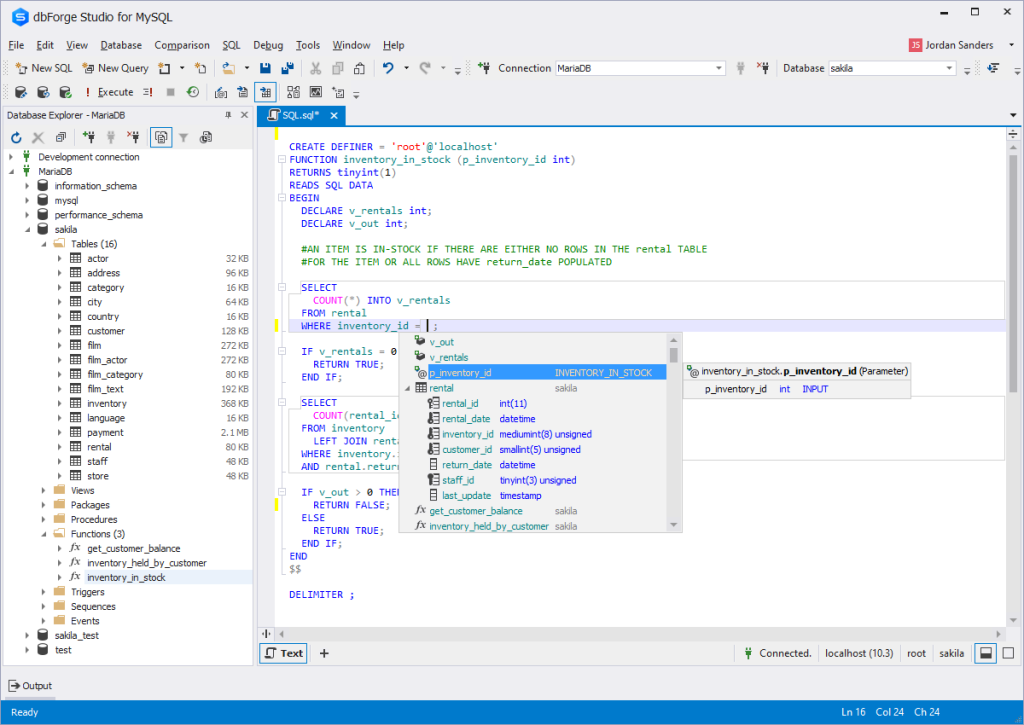
dbForge Studio for MySQL is a MySQL GUI for macOS. It is used to create, maintain, and design databases.

dbForge Studio for MySQL allows you to build and execute queries, develop and debug stored procedures, and manage database objects.

Furthermore, it has a user-friendly UI and consists of intelligent coding features like code completion, enabling you to write SQL queries easily and effectively.

PROS

  • Code completion
  • Automatic run-time query
  • Visual Query Builder, which helps you create queries using drag-n-drop
  • Simple to debug
  • Simple backup and restoration

CONS

  • The free edition has limited functions
  • It is compatible with only MySQL and MariaDB
  • dbForge Studio for MySQL cannot be used offline.

Price: 30-day free trial, $179.95 for a perpetual license of the premium edition.

2. TablePlus
TablePlus

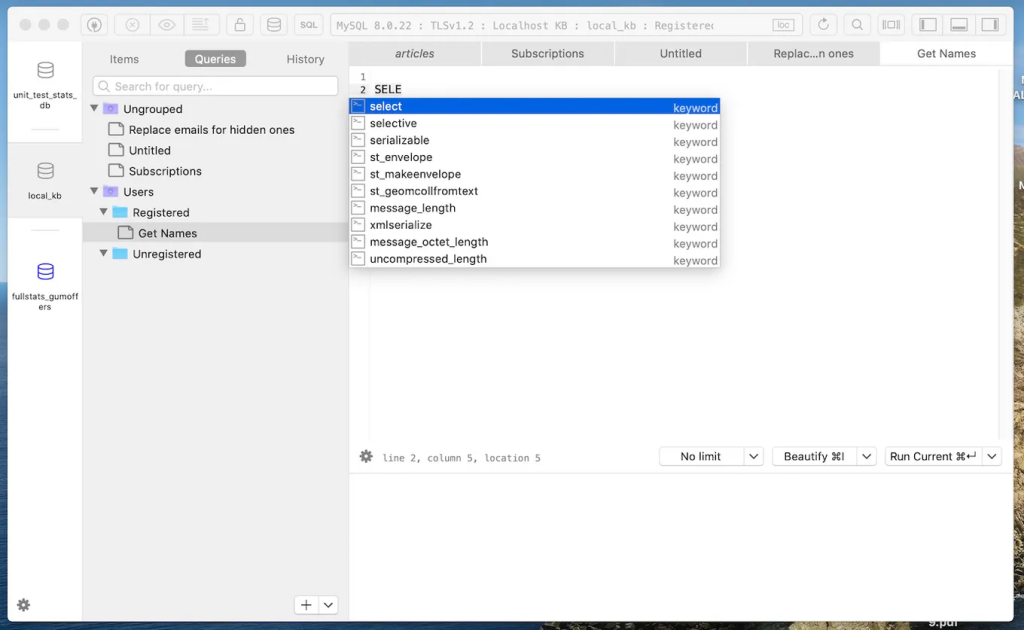
TablePlus is a native MySQL GUI application with an easy-to-use interface. Its native architecture enables speedier processing of SQL queries. As a result, you can quickly build, query, edit, and save databases.

Furthermore, TablePlus has an appealing user interface that enables you to manage numerous relational databases at the same time, such as MySQL, PostgreSQL, SQLite, Microsoft SQL Server, Redshift, MariaDB, and others.

PROS

  • It executes queries in split seconds
  • It consists of a simple UI
  • It only consumes a little space – about 180MB to install
  • no code query features
  • you can connect to multiple databases simultaneously
  • code formatting features

CONS

  • The free version limits you to 2 opened tabs and 2 opened windows
  • No rollback button

Price: $79, $99, and $49 for basic, standard, and custom license, respectively.

3. DBeaver
DBeaver

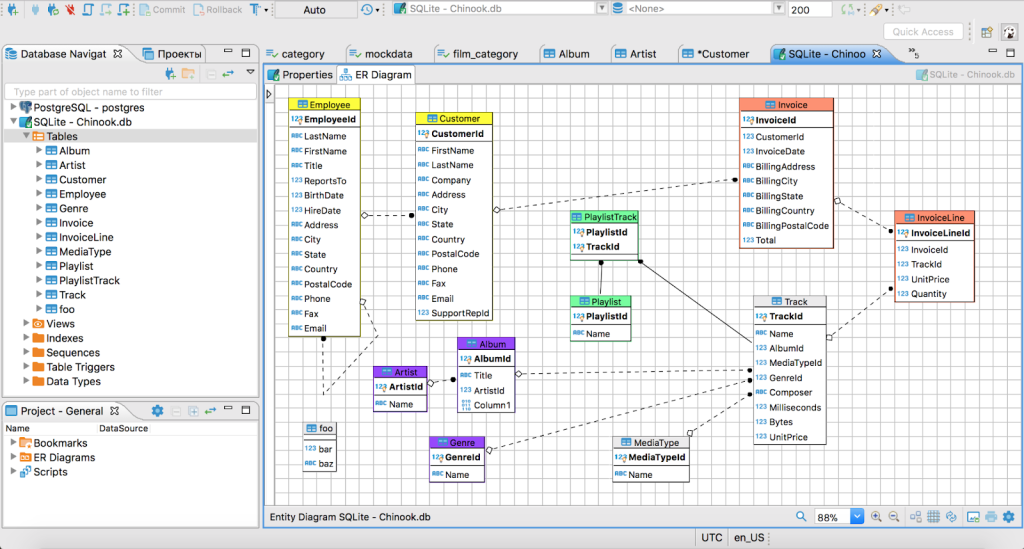
DBeaver is a graphical database administration tool for database developers and administrators. It is a free and open-source tool that supports popular DBMSs like MySQL, PostgreSQL, MariaDB, SQLite, and Oracle. Aside from MacOS, it also works on Windows, Solaris, and Linux.

DBeaver is highly functional and user-friendly. It consists of the typical features one should expect from a GUI database management tool. Features like code completion, code formatting, data editing, database analysis, SQL editor, and so on

PROS

  • Can connect and work on different databases simultaneously
  • It has easy navigation through the Schema object tree
  • It saves coding time through code completion

CONS

  • The free edition has limited functions
  • It consumes a lot of RAM space
  • You cannot install it without Java

Price: The community edition is free, and the Enterprise edition is $10/month.

4. Sequel Ace
Sequel Ace

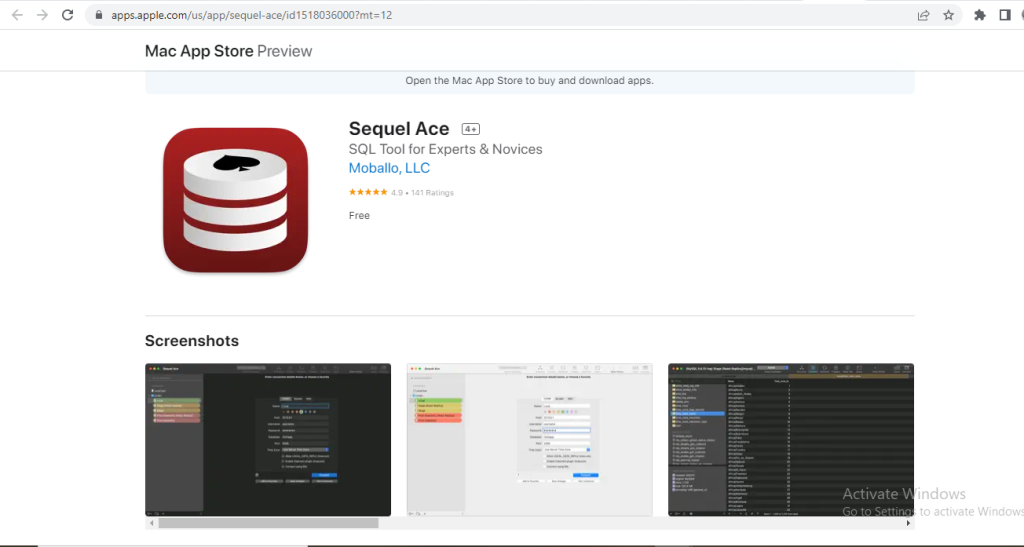
Sequel Ace is a popular Mac database management tool for MySQL and MariaDB databases. It serves as a replacement for the longtime MacOS tool – Sequel Pro.

Sequel Ace allows easy writing of custom queries, easy accessibility to all your databases, and a filtering system to find what you need quickly.

PROS

  • It rarely crashes
  • It is fast and easy to install
  • It has flexible connectivity

CONS

  • It does not support multiple result tabs for multiple queries
  • The query editor window is slow

5. SQLPro Studio
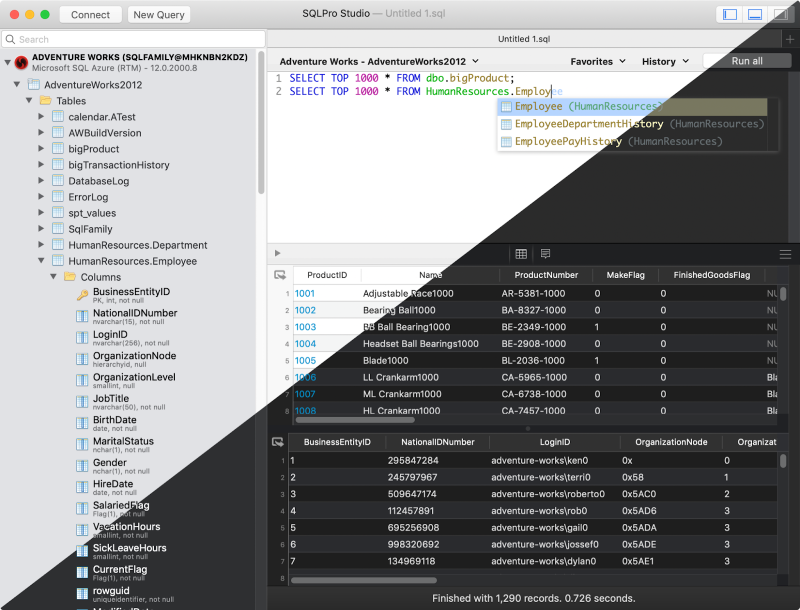
SQLPro Studio

SQLPro Studio is a high-end database management software for Postgres, MySQL, Oracle databases, and Microsoft Management Studio.

It is well-known for its smart features, such as syntax highlighting, the ability to execute several queries simultaneously, autocomplete, keyword inclusion, and exporting files as CSV, among others.

PROS

  • The table filters are easy to use
  • It can install plugins
  • You can easily connect it to local Docker containers

CONS

  • It is a little bit slow
  • It does not have NoSQL DB management
  • It crashes randomly.

Price: $99.99 per year.

6. DataGrip
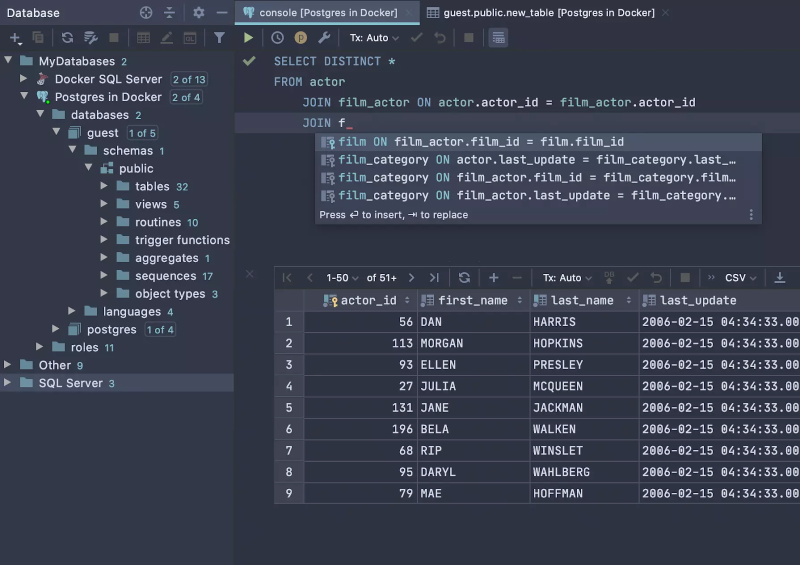
DataGrip

DataGrip is a multi-engine database management tool. It is compatible with MySQL, PostgreSQL, Microsoft SQL Server, Oracle, Sybase, SQLite, and so on.

DataGrip is characterized by many amazing features, such as code auto-completion, bug detection, and version control integration, among others. In addition, it provides a query console for performing and profiling queries.

PROS

  • The interface is user-friendly and very easy to understand.
  • The support is substantial, and the tool deployment is highly authentic
  • You can manage multiple databases simultaneously.

CONS

  • It consumes too many computer resources, which slows down its performance.
  • If you plan using of MySQL DB only, its functionality is poorly

Price: $199 per year

7. Beekeeper Studio
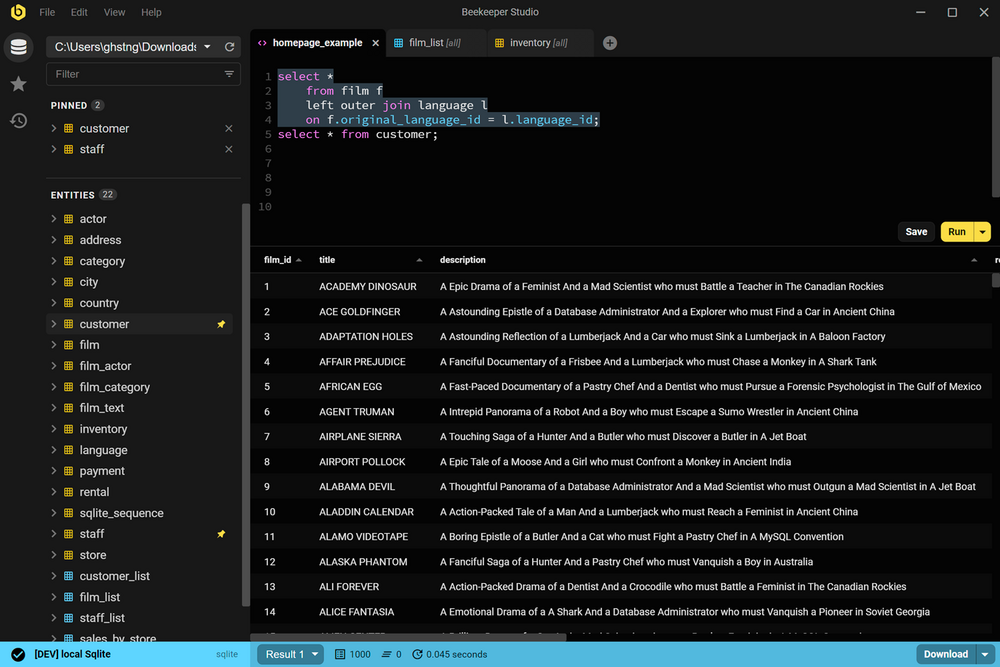
Beekeeper Studio

Beekeeper Studio is an open-source SQL editor and database management tool for MacOS, Linux, and Windows. It has a friendly user interface and is very easy to understand. Also, Beekeeper studio is GPL licensed, which makes it free to use.

The tool is characterized by various smart features, such as a tabbed interface for multitasking, keyboard shortcuts, query history, code auto-completion, and syntax highlighting, among other features.

PROS

  • It has keyboard shortcuts
  • It enables users to multi-task
  • You can use the tool without the internet
  • You can save your queries to visit them later

CONS

  • It takes a while to load multiple tables in a database
  • The UI could be better

Price: $99

8. Adminer
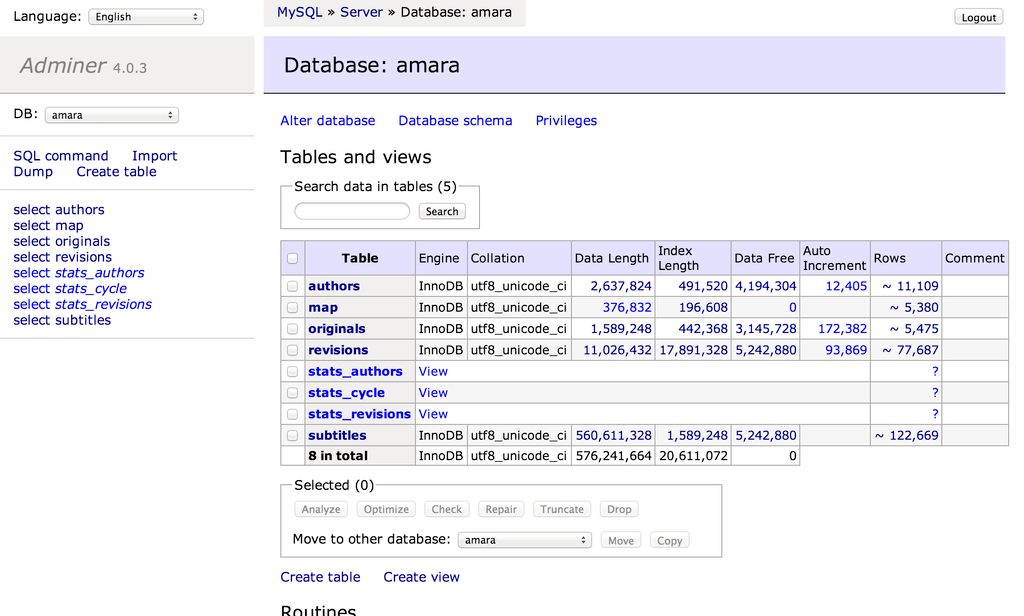
Adminer

Adminer is a PHP-based database data editing tool that is both simple and user-friendly. It is appropriate for general users because it allows for high-level data manipulation.

Adminer was previously known as phpMyAdmin. It does, however, have a simpler and more user-friendly layout.

PROS

  • The security features are top-notch
  • It is fast in executing queries
  • It restricts the number of connection attempts to prevent cyberattacks

CONS

  • The user interface could be more user-friendly
  • It is not easy to move database schemas across the workspace

Price: it is free

9. Navicat
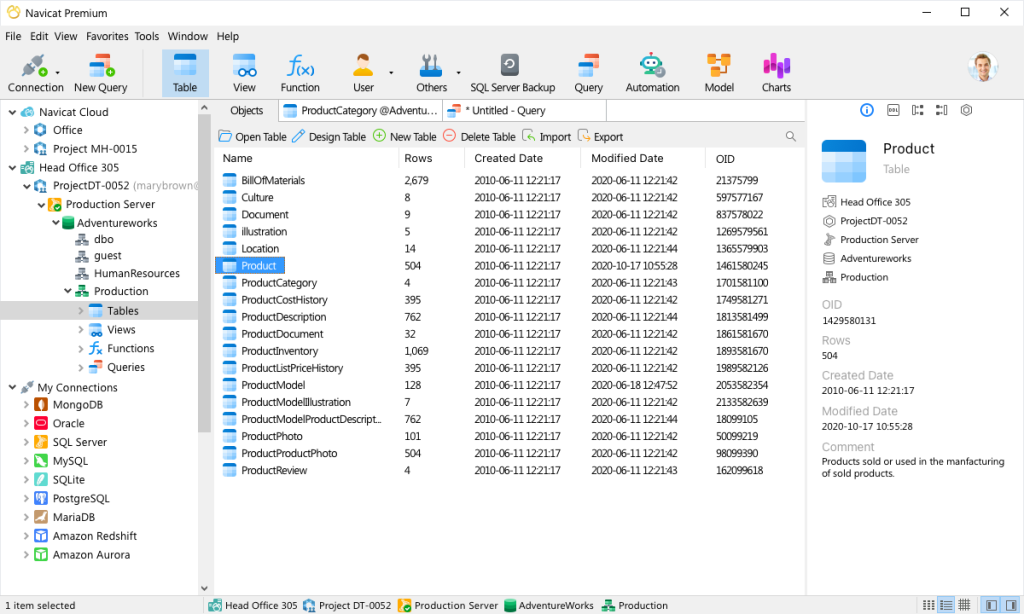
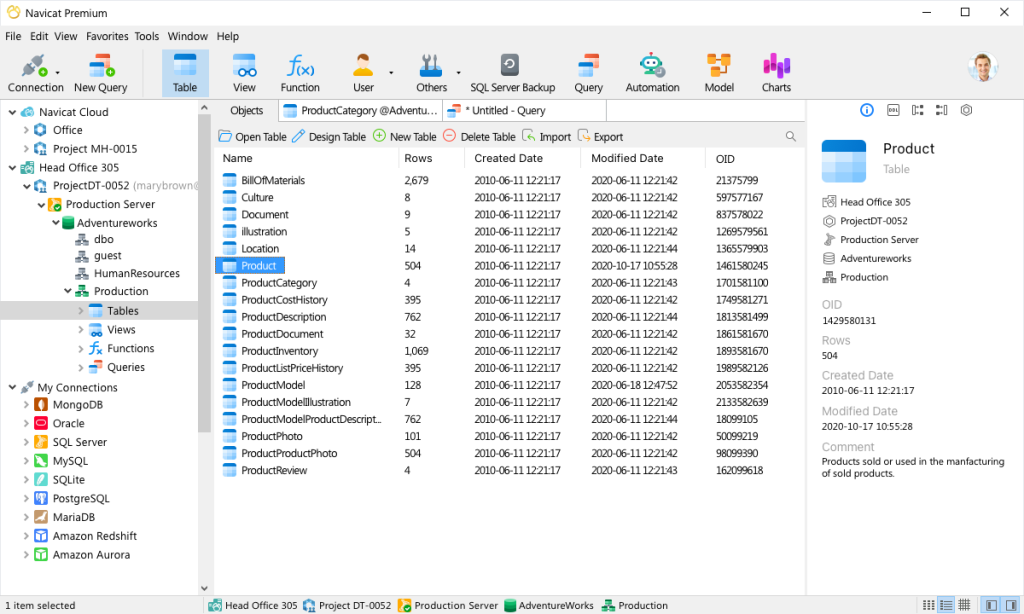
Navicat

Navicat is a graphical front-end database administration tool that allows you to connect to several databases simultaneously, including MySQL, MariaDB, SQL Server, Oracle, PostgreSQL, and SQLite.

Navicat allows you to create and manage database objects, move data between databases, synchronize, and deploy updates.

Furthermore, its efficient functionality allows you to quickly complete complex jobs, such as importing a large number of file data into a database table without interruption.

PROS

  • It is beginner friendly
  • It runs SQL queries very fast
  • You can easily move data across different tables and databases.

CONS

  • The subscription is very costly
  • It has a short free trial period (14-day free trial)

Price: $69.99 monthly subscription, $1399 for a permanent license.

10. Querious
Querious

Querious is a new MySQL database management software for MacOS. It is precise and simple to use, giving you complete control of your work.

Furthermore, Querious is beginner-friendly and comes with smart features that enable users to view, edit, search and structure their data how they deem fit.

PROS

  • A simple user interface
  • It executes queries quickly
  • Complete control over user privileges
  • It rarely crashes

CONS

  • Autosuggestion can only suggest table names
  • It only supports MySQL
  • It is available only on MacOS

Price: $25.

Read Also:

Arnab is a professional blogger, having an enormous interest in writing blogs and other jones of calligraphies. In terms of his professional commitments, He carries out sharing sentient blogs.

View all posts

Leave a Reply

Your email address will not be published. Required fields are marked *

Related

3d PrintingTechniques And Application In The Energy Sector

3d Printing: Techniques And Application In The Energy Sector

3D printing is manufacturing by constructing a three-dimensional object from a digital 3D model. Emerging technologies like 3D printing have brought revolutionary advancements in various industries, and the energy sector is no exception. This article focuses on the techniques and applications of 3D printing in the energy sector, highlighting its potential to transform traditional manufacturing processes, optimize efficiency, and support sustainable practices. Types Of 3D Printing Techniques For the Energy Sector There are several techniques employed in 3D printing, including Fused Deposition Modeling (FDM), Selective Laser Sintering (SLS), and Stereolithography (SLA). Each plays a significant role in rapid 3D printing services. Here's a detailed explanation of these 3D printing methods: Fused Deposition Modeling (FDM): FDM is the most famous 3D printing technique, where a thermoplastic filament is heated, and a 3D object is formed. FDM enables the production of complex shapes, intricate designs, and functional prototypes that improve energy systems. Selective Laser Sintering (SLS): SLM employs a high-powered laser to selectively fuse powdered materials, predominantly metals, generating durable and intricate components. This technique finds applications in manufacturing heat exchangers, turbines, and other robust energy system components. Stereolithography (SLA): SLA uses a liquid resin and solidifies it when exposed to a specific wavelength of light, creating precise and high-resolution objects. SLA produces custom-made energy storage systems, solar panels, and intricate electrical components for better energy utilization. Advantages Of 3D Printing In The Energy Sector There are several advantages of 3D printing, of which it has been in the leading demand. Some basic benefits are explained below:- Cost Reduction: 3D printing allows the production of intricate and complex components in a single process, eliminating the need for assembly. It reduces manufacturing, increases efficiency, and lowers production. Customization And Optimization: The flexibility of 3D printing enables the customization of energy components based on specific requirements. By optimizing shapes and structures, energy systems can be designed for optimal functionality, resulting in enhanced performance and reduced energy wastage. Supply Chain Sustainability: Traditionally, energy systems rely on extensive global supply chains. Implementing 3D printing can reduce the dependence on transportation, minimize carbon footprints, and shorten lead times, contributing to a more sustainable energy sector. Improved Efficiency: 3D printing enables the creation of lightweight components with intricate geometries, reducing energy consumption and improving overall system efficiency. This translates to enhanced energy generation, transmission, and storage capabilities. Application Areas In The Energy Sector 3D printing is applicable in some areas in the energy sector as follows:- Renewable Energy Components: 3D printing facilitates the production of wind turbine blades, 3d printed solar panels, and energy storage systems, allowing customized designs that maximize energy output and efficiency. Optoelectronic devices like photovoltaics and sensors can also benefit from 3D printing. Energy Infrastructure: 3D printing for manufacturing pipes, heat exchangers, and valves reduces costs and enhances their resistance to corrosion, heat, and pressure. Advanced materials and designs derived from 3D printing contribute to safer and more reliable energy infrastructure. Energy Efficiency Devices: Customizable and intricate designs are made possible with 3D printing in developing energy-efficient devices like heat sinks, smart meters, and sensors. These technologies enable better monitoring, optimization, and management of energy consumption. Tooling And Prototyping: 3D printing expedites the process of producing prototypes and specialized tools for testing and maintenance within the energy sector. This results in faster innovation cycles and improved productivity. How  3D Printing Works The basic steps which are followed by 3d printing  are as follows:- 1. Submission Of Design: The customer provides a 3D design file in a compatible format.STL or.OBJ, to the service provider. This design file can be created using 3D modeling software or downloaded from an online repository. 2. Pre-Printing Analysis: The service provider examines the design file to ensure its suitability for 3D printing. They check for potential issues, such as intersecting geometries or unsupported overhangs, that may affect the printing process or the final result. 3. Material Selection: Depending on the customer's requirements and the properties desired for the object, the service provider suggests suitable materials for the 3D printing process. Options can include various plastics, metals, ceramics, or composite materials. 4. Printing Process: Once the design and material considerations are finalized, the 3D printing process begins. The service provider prepares the 3D printer, loads the selected material, and starts printing. The printer follows the instructions in the design file to layer the fabric and create the desired object. 5. Post-Processing: After printing, the printed object is typically subjected to post-processing steps. It may involve removing support structures, cleaning the thing, or applying surface finishes to achieve the desired texture, color, or smoothness. 6. Quality Assurance: The service provider examines the printed object for defects or imperfections and ensures it meets customer requirements. If necessary, adjustments or corrections can be made before final delivery. Conclusion Integrating 3D printing techniques within the energy sector presents transformative opportunities for manufacturing, sustainability, and energy efficiency. The ability to customize designs, reduce costs, optimize efficiency, and shorten production timelines can revolutionize energy generation, transmission, and storage. As this technology evolves, a collaboration between 3D printing experts, energy specialists, and researchers will lead to further breakthroughs, fostering a more sustainable and efficient energy future. Read Also: Advance Copier: Printing Quality Business Cards On Your Own Computer 7 Ways To Stop Spending So Much On Printing In Your Business Digital Printing Contributes Much Towards The Progress Of The Industry

READ MOREDetails
Computer Security

Top 10 Computer Security Mistakes

So you’ve gone out and purchased a brand new laptop, and now you have plans of using that laptop in the workplace. Well, for anyone who has experience running a company, knows that laptops can be conduits for spyware and viruses. Once data is being processed, thought must go into who is capable of stealing it, where they might store it, how they could archive it, and how valuable the data is to the company. Well, if you want to ensure you’re never in any unfortunate positions, then I suggest you check out my list of common mistakes most new computer users make.  1. Connecting to an Unsecure Network If the network is open, then it should be fine for you to connect to, right? I wouldn’t say that. You should always be suspicious of open networks, especially ones at hotels and airports. If it’s possible for you to connect to a network without using a password or agreeing to any terms, then there is a good chance you could be leading yourself into a trap.  2. Opening Attachments from Unsolicited Emails You want to check the content of your emails, if anything in it looks suspicious, or if the sender is asking you to do something that you do not feel comfortable doing then there is a good chance its spam. Check the sender, if you’re not familiar with the person, then try searching for the email on any of the major search engines. If you’re at your workplace, then consider contacting your email administrator for verification on whether or not the email is spam. 3. Using Common Passwords While the vast majority of people are wise enough not to fall into this trap, especially when signing up for services online, there are still many work colleagues that have a knack for using basic passwords, like their birthday or their username123. You’ll want to re-work your password by combining uppercase letters, numbers and uncommon symbols. If you chose London as your password, then you could rejig it to something like L0nd3N. Even though it isn’t the most complex password, it would be much more difficult for a hacker to guess. 4. Not Making Backups When it comes to archiving files, many end users make the common mistake of backing up data too infrequently. I can see how the lazy approach can be more comforting, but if your company files are that important to you, then you’ll want to ensure that they are backed up as often as possible, using a number of different mediums, such as the cloud, external hard drives, etc.  5. Leaving Your Webcam Enabled It’s a great idea for you to familiarise yourself with your webcam so that you can determine when it’s disabled or active. Hackers are very adept at hacking into your webcam, especially in the workplace, and they can even record meetings if you’re not careful. Covering the webcam with tape won’t do much since audio can still be recorded; it’s for this reason why you’ll want to ensure its disabled when not in use. 6. Searching the Deep Web The deep web, unfamiliar to most internet users, is the shady part of it, not accessible from the major search engines like Bing and Google. Work systems should be used for work only, there are many deep websites out there that will stick malicious code onto your computer and use that to track whatever you say and do. 7. Assuming Your Hard Drive Will Never Fail In this world, there are two different kinds of computer users, those who have lost computer files and those who will eventually lose computer files. You want to back things up as often as you can. You also want to think about alternative media, like using an external hard drive to save certain confidential data onto it. 8. Using a Suspicious Thumb Drive Everyone needs a place to store their work documents. If you’re in the office, it’s not uncommon for you to find a thumb drive lying around. My advice is not to use it, especially if you don’t know where it came from, that’s because there’s a good chance it could have a virus on it. 9. Using the Same Password across Accounts It’s very important that you make a habit of changing your passwords. It’s not uncommon for end-users to keep the same password for many years. That is something you do not want to do. For business-critical, sensitive data, you want to ensure that all passwords are changed at least once every three months. Make sure all your accounts have different passwords. Having multiple passwords for your many accounts reduces the chances of all your accounts being compromised. With the increasing amount of cyber-attacks, the age of your password, along with its length and complexity are far more important today. 10. Agreeing to Install Anti-Virus Software Have you ever visited a website that asked you whether or not you wanted to check your system for a virus? You may have asked how or why it knew you needed a virus scan. In most cases these prompts to install antivirus software are in fact attempts to install malicious software on your system. Read Also : Would Your E-commerce Website Pass The Cybersecurity Test? Here Are 3 Things You Could Be Doing Wrong How To Securely Wipe Your Confidential Data From A Hard Drive

READ MOREDetails
Why ServiceNow Is Essential for Your Tech Company

Why ServiceNow Is Essential for Your Tech Company

As the 21st century has progressed, the world has experienced a major transformation that has continually affected how our modern society functions. The past two decades have been a revolutionary era throughout the globe due to a multitude of different factors that have had a major impact. Investing in software like ServiceNow will ensure that you will be fruitful and will make sure your business is profitable.  While there are numerous causes as to why the modern era has been so transformative, the main driving force has been the Internet and other technologies becoming more pertinent to society than ever before.   How the Modern Economy is Transforming As our society has undergone massive changes throughout the past 20 years, it has become clear how important the Internet and other technologies truly are. The Internet has impacted numerous facets of our civilization in recent years, and one of the most affected entities has been the economy. The economy has been massively altered by the Internet, as a myriad of existing fields has had to go digital, and numerous others have actually been created from the Internet. This global technological revolution has led to an increase in the number of tech companies that are running all over the world, and it has truly helped the economy to grow. There are numerous types of tech companies that exist, and the most successful of these businesses utilize top technological tools. One of the most useful tools is a cloud-based software called ServiceNow which is helpful for a multitude of different actions.  Learning about ServiceNow As the tech industry has grown, it has become evident how important the program ServiceNow has become throughout the field. ServiceNow is a critical cloud-computing software that is used throughout a myriad of industries but is often used throughout the tech field. When your business goes through a process of ServiceNow implementation, you will be provided with a variety of benefits. ServiceNow is mainly utilized for IT service management (ITSM), IT business management (ITBM), and IT operations management (ITOM). Combining these three actions build a program for your tech company that will effectively manage your IT operations and will ensure a workflow program that boosts communication throughout your company, speeds up operations, and improves relationships all across your tech enterprise. ServiceNow also integrates with other tools that your company utilizes to create a less complex model for your business to follow.  What ServiceNow Will Do for Your Tech Company Learning about ServiceNow is incredibly important if you are considering investing in this software for your tech enterprise. While understanding the software is necessary, it is critical for you to learn how it can benefit your tech company as well. Tech companies utilize ServiceNow for a multitude of purposes – learning about these methods is essential. ServiceNow will integrate intelligent automation within your business model, which will improve upon your business’ machine learning initiatives and will keep your data both safe and more organized. ServiceNow will also aid in organizing and implementing tasks throughout your business and will ensure that your company is managed more effectively. Final Thoughts As the tech sector of the economy grows, it will become more important than ever for your business to utilize top tools to ensure success over your competitors. Investing in software like ServiceNow will ensure that you will be fruitful and will make sure your business is profitable.  Read Also: 5 Reasons Every Business Should Invest in Automation Software 5 Things to Take into Account to Hire Custom Software Development Services All You Must Know About Construction Business Management Software

READ MOREDetails