Google Meet Code 101: Learn All About The Platform’s Meeting Code

by

06 June 2023

Apps

Google Meet Code

Google Meet is a popular video calling platform created by Google. Whether you are an individual or you are a business, you can connect with others on audio calls and video calls through the platform. Currently, Google Meet is mostly used for video conferences among friends, colleagues, or professionals. One person creates a meeting and sends a unique Google Meet code to others as an invitation to join.

In this article, you will learn about the Google Meet platform and the utility of the Google Meet codes that are offered through a Google Meet invitation. Furthermore, you will also learn how the Google Meeting code works on the platform. Finally, you will find out how to join a meeting on Google Meet with the help of a meeting code. Hence, to learn more about the Google Meet code, read on through to the end of the article.

What Is Google Meet?  

What Is Google Meet

Larry Page and Sergey Brin launched Google in 1998 as a search engine. Since then, in twenty-five years, Google covered a lot of milestones, as it is now offering platforms for advertising, cloud computing, quantum computing, computer software, social media, eCommerce, and many more.

Google created the Google Meet platform for video calling and video conferencing. Both individuals and businesses commonly use Meet for video conferences, meetings, and discussions. Although created as an extension of Google Hangouts, which is a messaging platform, Meet comes with its own sets of unique features.

To log in to Google Meet, one needs to have a Google Account. Your Google account is the same as your Gmail. You need the same during Google Hangouts login as well. Google Meet is also known for enabling users to engage in secure conversations.

Although Google sucks in certain cases when it comes to innovation, Google Meet is surely something that stands out. It is one of the most trusted platforms for holding video conferences. Even some of the biggest companies hold big video conferences through Google Meet.

What Does The Google Meet Code Mean?  
What Does The Google Meet Code Mean? 

According to Google Meet’s official sources, “Meet uses the same protections that Google uses to secure your information and safeguard your privacy. Meet video conferences are encrypted in transit, and our array of safety measures are continuously updated for added protection.”

This is where the Google Meet code comes to play. Once you create a meeting on Google Meet, you will get a meet code, which you will need to share with the people you want to invite to the meeting. The Meet code and the Google Meet link are encrypted and hence provide essential protection for security.

Basically, Google Meet codes act as meeting identifiers, which users use to invite and interact at meetings in which they are called upon. Every single meeting that took place on Google Meet, and all the meetings that will take place in the future, have a unique meeting code. This is done to offer security to the meeting so that someone does not get unauthorized access.

How Does The Google Meet Code Work?  
How Does The Google Meet Code Work?  

If you observe the different Meet codes carefully, you will see that all of them are of ten letters that are divided into three parts in 3-4-3 order of the type xxx-yyyy-zzz. The dashes are given for ease of reading. While you enter a code on a Google Meet link, you will not need to enter the dashes, as Google Meet supports only codes of 10 characters. The link will look like this: https://meet.google.com/xxx-yyyy-zzz.

Once you click on the link that you received as an invitation on your device, you will get to a page where you will need to enter the unique code. After you enter the Meet code of ten-letter, you will get access to view and interact with the meeting. However, you will get to the meeting only after the host approves of your joining and participation.

After you get inside the meeting, you will find the Google meeting code at the bottom-left portion of the screen. To allow others to participate, you can share this code with others.

Does Google Meet Have A Time Limit?  

Does Google Meet Have A Time Limit?  

Yes. Google Meet codes have a time limit. You cannot enter a meeting link with a meeting code after the code has expired. As per the claims of the official website of Google Meet, “Each meeting is given a unique meeting code which has an expiration time based on what Workspace product the meeting is created from.” To know more about the time limit of the Google Meet code, you can check Google Support.

How To Join A Google Meet Conference?  
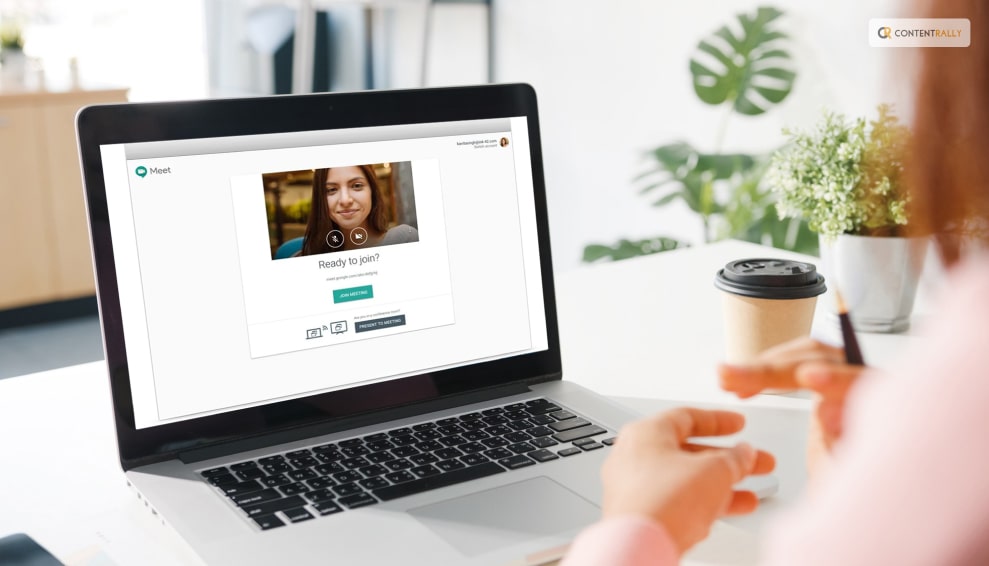
How To Join A Google Meet Conference

The following are the major ways through which you can join a Google Meet conference:

1. Using A Computer Browser  

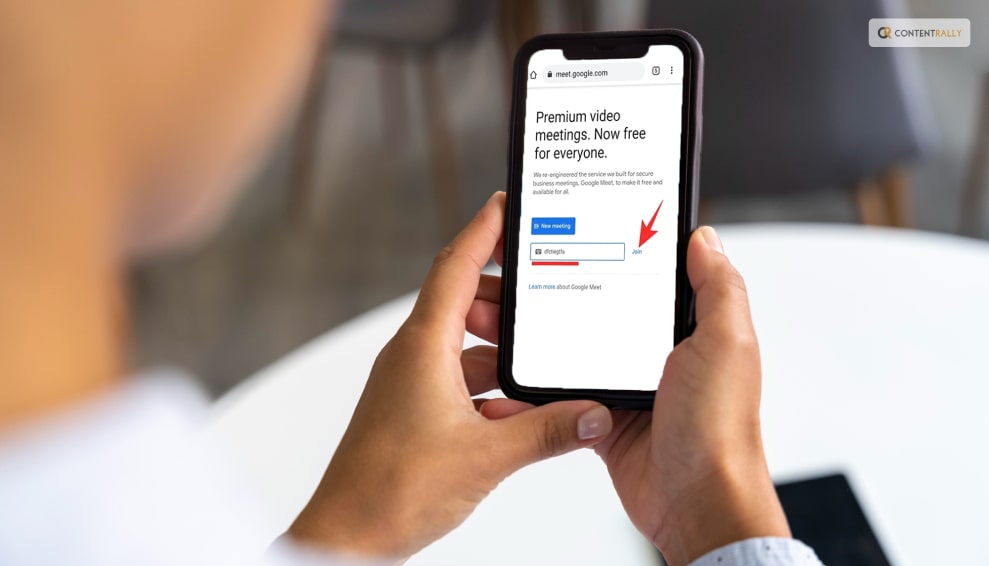
Open the Google Meet website from your website browser, or type meet.google.com on the URL. Once you get to the Google Meet page, click on the ‘New Meeting’ option. If you want to join a meeting, click on the ‘Join with a code’ option, and enter the code.

2. Using Mobile App  

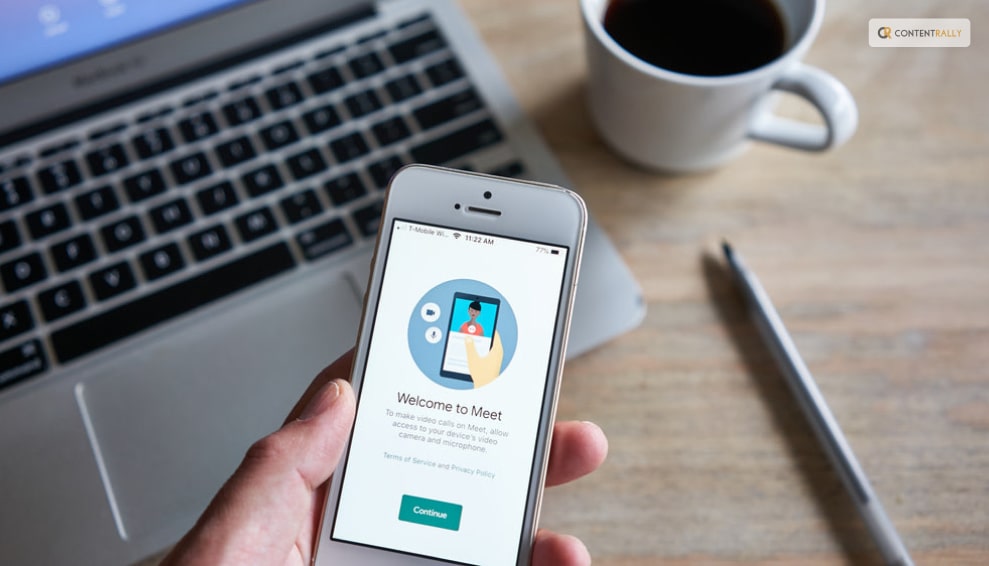
Download the Google Meet mobile app on your smartphone. You need to launch the application and sign in to your account. On the page, you can either create a New Meeting and if you want to join an existing meeting, you need to click on ‘Join with a code.’

3. Using Mobile Browser  

Open a web browser app on your smartphone, and access the Google Meet website. Check the website as a desktop site. Otherwise, the link will ask you to download the app from Play Store. To create a meeting, tap on the New Meeting option, and click on ‘Join.’

Summing Up  

Hope this article was helpful for you in getting a better idea of what the Google Meet code is and how to use it. This code is unique to every meeting and actually helps to secure the meeting from unauthorized access. You will get access to the meeting only when you enter this ten-letter code after clicking on the link. Do you think Google Meet is secure and useful enough? Share with us what steps Google can take to make Meet better.

More Resources:

A passionate writer and an avid reader, Soumava is academically inclined and loves writing on topics requiring deep research. Having 3+ years of experience, Soumava also loves writing blogs in other domains, including digital marketing, business, technology, travel, and sports.

View all posts

Leave a Reply

Your email address will not be published. Required fields are marked *

Related

iTrader

iTrader 2019 Reviews

iTrader was founded in 2012 by Hoch Capital Ltd after that licensed with the Cyprus Securities & Exchange Commission in 2013. Since then it has opened the doors to online investors all over the world. It offers the best trading experience to the traders of all levels. Now iTrader provides the most popular Meta Trader4 platform for its users and the platform developed by MetaQuotes Software and provides forex traders instruments including forty-seven currencies. Best features of iTrader: Why anyone should go with iTrader.Com. Some firm lists and reasons are listed below: Itrader Was founded in 2012 by an experienced and financial professional. It is regulated by CySEC and provides access to 23 EU member states. It has three types of accounts such as Silver, and Platinum. The minimum deposit is 250 units of GBP, EUR or USD. There are no fees charged for any deposits and withdrawals. It supported web-based version and mobile application version also so that it is easy to access. In case of any issue or problem, there is customer service available so you can contact via email, WhatsApp, or direct phone call with their customer executive. The iTrader 2019 Reviews: Itrader is an online broker platform, dealing with CFD trading of forex, currencies, stocks, and commodities. To find out the best iTrader review in the following. Platforms And Tools: iTrader is a Meta Trader 4, this directly means it offers the MT4 platform from MetaQuotes Software. It has user-friendly tools so that the user can easily use it. MetaQuotes has become one of the largest financial markets all over the world. It has attractive shares from the range of local as well as international markets. Some tools of itrader are as follows: Calculator: It helps you to perform various calculations related to your trading. The calculator has multiple functions so that you can easily do any type of calculation. Chart Analysis: With this, you can easily calculate the analysis of your chart, with this you can formulate various investment scenarios. An Economic Calendar: It shows many types of major economic events scheduled for the next coming days. Asset Index: It offers you a well-organized menu of these assets for the investment on itrader’s platform. Payment Method Of Itrader: iTrader is directly dedicated to its earned money and its traders. The broker of itrader gets the highest security standards from the company when they are going to handle withdrawals & deposits. The trader servers work from SAS 70 centers and all the data is encrypted with the help of using latest 128 SSL encryption. It accepts all withdrawals and deposits in safest and convenient methods like Master cards, Visa, Maestro, AmericanExpress, Neteller, Yandex, Web Money, Qiwi, etc. There is no fee for deposit and withdraw payment from your account. Resources of iTrader: There are so many resources of itraders such as videos, ebooks which cover all the aspects of trading basics and fundamental trading strategies. The itrader also offer daily chart analysis. There are also weekly, monthly and yearly market summaries available for the forecasts. It has a calculator tool, economic calendar, etc. which help traders to implement fundamental trading strategies in the market. Mobile App: Nowadays more than 70 percent of people are using mobile for their daily work so that itrader offers a mobile trading application for both Android and ios operating system. The mobile application of itrader gives all the functionality just like desktop platforms. The mobile application of itrader is very easy to use. Fees and Commission: It provides commission-free accounts such as Silver, Gold, and platinum. The trading costs may vary in terms of applicable floating spreads. MetaTrader 4: It is trading platform which is now available at Itrader.Com. It is one of the best respected worldwide because it provides powerful trading tools and features. Read Also: How Financial Trading Can Give You The Life You Want What To Expect When You Become A Forex Trader Top 9 Forex Trading Tips For Beginners That Save You Money

READ MOREDetails
9apps – An Alternative Other Than Google Playstore

9apps – An Alternative Other Than Google Playstore

9 apps are a new market platform owned by Alibaba group and have recognized presence throughout the globe. This has gained a worldwide presence especially in countries like India and Indonesia. The app has been made by keeping the user-friendly criteria in mind so that when people want something they can easily search there and enjoy the benefits. The company was founded in 1999 and released in 2013 since then many consumers have gained a lot from this. The main advantage is that it consumes very little space on phone and anyone can download it among all the android users who wish to download anything. 9apps – An Alternative Other Than Google Playstore: Features of 9 apps: The app is very much user friendly and various categories have been divided in order to facilitate the use and then download them accordingly. This has been highly designed by keeping in mind people from India and Indonesia where it has gained huge popularity. The app is very small. It consumes only 3-4 MB of space on android devices which helps to have easy and fast downloads which increase user speeds also. Among all third party stores, 9 apps are rated as one of the best and biggest. Still, the app is the third party that doesn’t mean that it can involve viruses. It still believes in quality programming and is free from errors. The huge collection of wallpapers, movies, ringtones, etc can be accessed without even spending a single rupee. All the apps have the same features as available on play store and 9 apps in any sense is not behind any other platforms. Security of data is highly ensured and no data loss can occur No other platform provides app files which this platform does. It is considered as a one shop stop for all the purchases which android users need The platform is available in fourteen languages including English The platform also leads to various updations. Even if the app is the third party it provides trusted sources. A most recent feature is that it provides price comparison for different websites. Benefits of 9 apps: This platform is free of cost for all consumers. Everyone can go and download all premium apps here free of cost. This platform acts as a one shop stop for users who are using android as each and every app is available here free of cost. The platform supports ease of use and also consumes very less space. The platform features high levels of safety and security and the number of cases of cyber-crimes is very low on this website. This works on all the versions of android thereby making the applications much more successful This is available in 14 languages and users can download unlimited wallpapers, songs, movies, and much more stuff from here that too free of cost. This can be treated as a single destination for multiple apps. Thus, 9apps download can be downloaded from 9app.co.in in order to have fun and enjoy these benefits. Read Also: 8 Best Shopping Apps For 2019 Popular Apps For Downloading HD Videos 7 Essential Apps For Your Mac In 2018 Effective Contribution Of Educational Apps Best Deleted Photos Recovery Apps For Android

READ MOREDetails
App Developers

5 KPI’s All App Developers Should Track

So, you have an app or game in the Android marketplace, and you want to know how it’s doing. Do you have any idea how strong your apps influence is? How big is your core audience? Who are your daily engagers? What is the average length of time someone uses your app? These are just a few of the fundamental questions that every app developer should know the answers to. Here we will cover the five Key Principle Indicators (KPIs) that show how an app is performing in the marketplace. KPIs Explained: In Android app development, specific data entries are collected to determine how an app is performing and is being received by the Android community. These indicators are referred to as key because they are critical in the understanding of an apps influence and performance. It is important to have this data at your fingertips if you want to take your brand to the next level. These indicators may tell how many users have downloaded your app or how many people have uninstalled your app. There are dozens of KPIs that a developer can analyze. The following five factors we will be focusing on giving you an excellent general glimpse at data that is of great interest to the developer. 1. Downloads: This metric is a given for every type of app in the marketplace. Every developer wants to know how many people have downloaded their app. The download phase is the initiating phase of the lifecycle of an app. This will tell you the percentage of people that could be interested in using your App. No other activity is possible without the initial download taking place. Assure that you are accurately tracking your app download numbers. Therefore, knowing the number of people who have downloaded your app is the starting point for business success. 2. Installs/Uninstalls: Although Installs and Uninstalls are two different metrics, they are so closely linked, that we are grouping them together here. We mentioned that you want to assure that you are accurately tracking your installs, and this is because the number of installs will give you a more accurate calculation of how many people have not only downloaded but also installed the app. It is the true measure of how any people find your app to be relevant after downloading. Your Uninstall data shows you another vital factor. It is essential to be realistic about how many people are currently maintaining the presence of your app on their device. The Uninstalls number is your reality check for current users. 3. Daily Active Users (DAU): The Daily Active Users (DAU) is a metric that shows you who your truly loyal base of users are. The individuals that use your app daily represent your core community of customers. These people are also likely brand ambassadors that promote your app to their networks. Knowing the people who are actively using your app is critical as it shows how the market is embracing the service you provide.  Having so many people downloading and not using your app is a clear indication that you need to do something about it. 4. Session Length: If you really want to know how engaged people are with your app, you will want to pay attention to the Session Length data. This will let you know how long users are engaging with your app. This information helps indicate when improvements may be in order. 5. Crashes: This metric should be taken very seriously because if it is ignored, it can hurt the rating of your app. If people begin to get frequent crashes, it can indicate that there is a bug in your app. If you see the number under Crashes increasing, you want to investigate this right away. Read Also: Things To Look Out For While Hiring Health App Developers How To Make Money From Resale Apps

READ MOREDetails