How To Protect Yourself On Social Media?

Published on: 07 February 2023 Last Updated on: 04 November 2024
Social Media

Social media can be an excellent people finder tool if somebody wants to be found. The challenge is that it can also be a dangerous place.

Many people don’t realize that hackers use social media accounts to steal identities and perform other criminal tasks.

Everybody should take it upon themselves to understand how to protect their information.

7 Ways to Protect Your Social Media Presence

From checking your connection to having a strong password, choosing settings, and making intelligent decisions, here are the seven top ways to protect your social media presence.

1. Check Your Connection Is Safe
Internet security

Hackers can add malware or trojan horses to your account if your PC isn’t protected by anti-virus protection. These innovative virus-like programs can steal your login details.

Be mindful of accessing social media pages over a WiFi network in a coffee shop or internet cafe. It’s easy for hackers to access sites via these open networks.

2. Use a Creative Password

Some bots can guess passwords based on commonly used ones. Never use a person’s date of birth or mother’s maiden name, as they’re easily worked out.

A creative password that’s harder to hack consists of lower and uppercase letters, numbers, and special characters, with no recognizable words.

Consider a password security app that generates random passwords for each login.

An extra level of protection is to enable two-factor authentication, for example, a site password and a one-time password (OTP) on your smartphone.

3. Manage Privacy Settings

Privacy Settings

The default setting for any new social media account is ‘public.’ This designation means that anyone can see anything posted, and somebody doing a Google search for your name could bring up the post.

Popular settings are private, friends only, or custom. Think carefully about your intended audience.

4. Approve All Tags

Friends love to tag each other, which is one of the social media’s many benefits. However, not everyone wants the world to know what they’re doing at any given time.

Most social media apps have an option for the person to allow or reject a post that includes them.

5. Don’t Automatically Accept Friend Requests
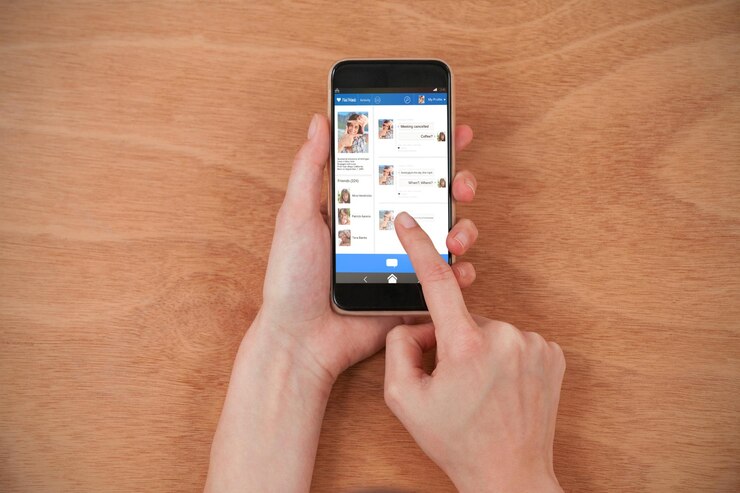
Accept Friend Requests

Many people like to build their friend lists on social media platforms, but there is a danger.

Accepting a request from a stranger could open the door to the site being hacked. Always check the profile of the person making the request; if it’s brand new with only a profile picture and nothing else, it may be a bot.

If a request comes through from someone who’s already a friend, it could mean they’ve been hacked. Before accepting it, contact them via another medium to confirm the new page is legitimate.

6. Think Before You Post

Before clicking the ‘post’ button, ask the question, ‘Would my grandmother like this?’ If the answer is ‘no,’ reconsider it.

Many people believe once something is deleted from the internet, that’s the end of it. Sadly, this isn’t true; things can be recovered.

Future employers may discover images and comments that paint a person in an unflattering light, so make wise choices.

7. Don’t, or Delay Sharing Location Data
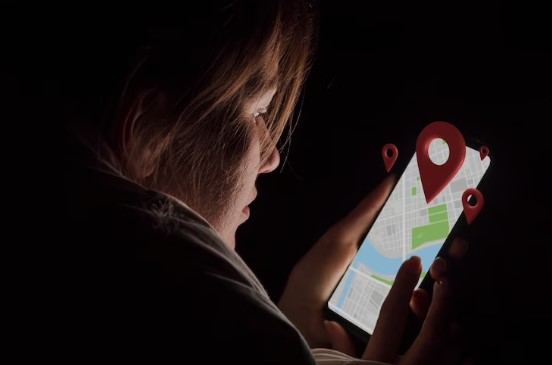
Don't Sharing Location Data

‘Check-in’ is a popular feature on many social media apps. While it’s fun to let everyone know where you are, it also tells others with bad intentions.

For example, checking into a shopping mall can let a stalker know where to find you. Alternatively, it can also let burglars know you’re not currently home.

Most smartphone cameras have a GPS function that stamps the image with the date, time, and location. A photo can give that data away even if you don’t use the ‘check in’ function.

Take the Time to Get Protected

As hackers get better at accessing people’s social media accounts, users can take steps to limit the chance of something happening.

Always be sure that the pages are being viewed on a secure network. Use strong passwords that aren’t easy to guess, and manage the settings early to decide who can access what.

Be vigilant about being tagged and accepting random friend requests. Think carefully about what gets posted, when, and from where.

Do these things, and there’s a fair chance a hacker will move on to an easier target.

Read Also:

Arnab is a professional blogger, having an enormous interest in writing blogs and other jones of calligraphies. In terms of his professional commitments, He carries out sharing sentient blogs.

View all posts

Leave a Reply

Your email address will not be published. Required fields are marked *

Related

Is Youtube Social Media

Is Youtube Social Media? Know Your Answer Here

Are you wondering if YouTube is a social media platform or not? Well, somebody can say that YouTube is one of the most engaging social media platforms across the entire social media network. This question is not only in your mind, but many users doubt whether YouTube is a social media platform or a video hosting site. Yes, you are right. YouTube is one of the social media sites which have been more than over the years. Recently, people are generating revenue by publishing multiple videos on the YouTube platform. At the time, users only created an account and signed in to watch multiple types of videos. But now the thing is entirely different. Here are some facts I will discuss that you need to know about YouTube so that you can clear your doubt: is youtube social media? Read below to know… YouTube: An Overview!     Everyone knows Facebook is one of the most popular social media platforms on the Internet. But in recent times, YouTube is replacing its position. As per a particular survey, we can see that YouTube has roughly active users of around 2.3 billion whereas Facebook has roughly 2.9 billion active users. As per research, we can see that YouTube has a steady growth of 73% of adult users as of 2019. At the same time, Facebook has roughly 69% of adult users, per the reports 2021. Nowadays, YouTube is not only considered one of the social media platforms but also one of the best digital marketing platforms. This means people nowadays make money by publishing multiple videos on YouTube, such as unboxing videos, vlogging, and so many others. Characteristics Of A Social Media Platform     If you want to know whether “is youtube social media platform” or not, first you need to know what characteristics a social media platform should have. Even this is not the end. These characteristics below will let you know why YouTube is considered a social media platform. Social media platforms always heavily rely on user-generated content. This means users can create content, and even they can share as well. It means users get to interact with each other at every time. No matter by replying to comments, sharing posts, or even by directing messages and so many others. Social media platform is where you can personalize your account or profile and even control your online presence. Another characteristic of Social media platforms is that it enables users to connect with a network that shares interests. Social media platform is a software tool where controversial posts get viral and engage within just a few minutes.   After going through the above-mentioned social media characteristics, will you still wonder if youtube is considered social media? I hope you are not. Despite the descriptions mentioned above, I am going to share some more YouTube features which help to clear your doubts is youtube a social media platform. Is Youtube Social Media: Know Some More Features     Recently developers have launched some interesting features where users are getting engaged regularly. That is why the rate of registered users on YouTube is increasing. Below I will share some more features which make YouTube a social media platform. 1) Subscriptions, Likes & Comments     One of the most valued features of the social media platform YouTube is "subscriptions." In this case, subscriptions offer a minimal opportunity to get interacted between viewers and creators. If a YouTube user subscribed to your channel or any creator channel, it means that the user is likened to the channel and easily gets updates about the channel. On the other hand, as a social media user, likes and comments are the most important things which can easily create interactions between fans and creators. Users can even use the comment section on YouTube, which messages people on YouTube. 2) Community Posts     You might have a question: does youtube count as social media? Well, if any social media platform or any online platform has a community posts feature, we can count that particular platform as a social media platform. In this case, the community posts feature means that you, being a creator, can share images, GIFs, and Polls to the community polls. This is another example of a user engagement feature. Do you remember users from 2008 or 2009 using community features on past social media platforms like Orkut or Facebook? Yes, this feature is the symbol of a traditional social media platform. 3) Youtube Shorts     Before you search for the answer, is youtube social media or not? First, let me tell you about a new feature on YouTube - yes I am talking about YouTube shorts. If you still didn’t yet search for them, just visit and get introduced to the new feature. YouTube Shorts is one of the platform's newest features, launched in the year 2021. Here you can upload short videos to add effects, stickers, and music. Are You Not Interested To Know The Advantages Of Youtube?     There are multiple advantages of YouTube that you have to know. Yes, so that you will be getting more interest in using YouTube and can enjoy this exciting social media platform. Below I am going to Discuss some of the advantages of YouTube. YouTube is one of the online platforms where you just will be able to see videos on mobile. In recent times, there are so many online platforms that you only experience on a desktop or hardly on a laptop. But YouTube is one of the best social media platforms you can experience on your mini device.   YouTube is one of the most popular sites on the planet where you can spread any type of message more quickly. Users generally encounter videos on Facebook Timeline or even on Twitter Timeline. But if you can share videos across the Internet and want to spread them to a wider audience, then YouTube is one of the best platforms. YouTube is the only online platform that is cost-efficient. This means you can share videos, even watch movie trailers, or even listen to songs but with cost efficiency. Thus, we can say YouTube is undeniably a cost-efficient platform. Final Thoughts     I have discussed some facts on YouTube, and I hope I have cleared your doubts: so, is youtube social media? In this era, you must thank developers for launching new features on social media platforms like YouTube, Instagram, or even Facebook. Not only that but from being a marketing platform to a video launching platform, this is the second-largest search engine which will go a long way. Who thought that YouTube could one day become the number 1 global online search engine platform? Are you still wondering that is YouTube social media? If yes, then do let me know in the comment section below. Thank you for reading till the end. Learn More About: How to Stream on YouTube Effectively? A 5-Minute Tutorial On Making YouTube Intro For Newbies 2 Easy Steps to Change YouTube Channel Name Without Changing the Gmail Name

READ MOREDetails
Social Media Analysis

How Brands Use Net Base for Deep Social Media Analysis

It’s a known fact amongst successful leaders that you must measure and analyze what you want to improve. This couldn't be truer when it comes to social media analysis for the purpose of building brand equity through marketing. It’s the reason why many top brands use companies like Net Base to optimize their social media marketing campaigns. Most businesses have come to understand the critical importance of social media for brand development. What has become even more clear is how valuable social media is for collecting information that can be used to develop marketing strategies. The key to successful marketing is leveraging the information obtained through analysis to draw conclusions that are actionable. The goal is to understand and reach your target audience. Data collected using Net Base can also help to ensure you choose the right channel. The best part is that it isn’t as time-consuming as other methods of collecting data. You can have an extensive amount of information at your disposal for the purpose of making informed decisions. Let’s review some of the benefits associated with social media analysis. Understanding the ROI of Social Media: Social media managers around the world have been challenged for years with trying to figure out if their social media efforts have been effective. Prior to the services offered by companies like Net Base, it was difficult to truly understand the ROI of social media marketing. While it’s crystal clear that social media is important, there are many platforms from which to choose, which means marketing efforts should be strategically based on your target customers. Not using social media certainly isn’t an option. Optimizing Your Social Media Strategy: Social media analysis offers an opportunity to have a more focused strategy. As aforementioned, it’s a way to measure what you want to improve. A sound social media strategy is based on real data that helps you to determine which social media platform and methods will yield the best results. It’s a way to avoid wasting your time on channels that simply don’t work for your brand and target customer base. In other words, you don’t want to spend time on marketing efforts that simply will not work because they don't reach the right people. Another important way in which social media analysis is critical is it improves the way in which you engage with consumers. It can help you create more content based on the results of data from prior marketing campaigns. You are able to ascertain which type of content will yield the results you want. There’s no way around the fact that some marketing campaigns are more appealing than others. By analyzing your social media, you can see how others actually respond to what you might think is an amazing marketing campaign. Understanding Your Audience: As you probably know, social media is a crowded place and you have to work to build your audience. Ongoing engagement on social media takes time and effort. Success is more likely when you truly understand your audience and develop content that speaks to them in a way that’s compelling. This includes all aspects of your content, including photos. Net Base provides you with insights that can improve the conversations that you have with your customers. The information provided by social media analytics enables you to hit the mark in your marketing campaigns more frequently, which results in a much higher ROI. You can review a wide range of information obtained through social media analytics for integration into your marketing strategies. Read Also: 7 Social Media Tips For Your Business Social Media Marketing: Six Trends To Keep Your Eyes On

READ MOREDetails
Facebook orca error

How to remove pname com Facebook orca

If you have ever noticed the Facebook pop-up message on your Android device screen showing that pname com Facebook orca has stopped, then it is probable that you are on Google searching for a solution to this problem that is annoying. Do you wish to solve the pname com Facebook orca error today? This article, therefore, will fit in the picture-perfect solution for what your needs. In this write-up, you will get an explanation of all the info relating to the pname com Facebook orca error and katana. The meaning of pname com Facebook orca : Typically, pname com Facebook orca is the name of a package of Facebook messenger application on the smartphone. In simple terms, the orca folder belongs to the Facebook messenger application. In general, the orca folder acts as the storage for all images, files, videos, plugins, audios, videos, and cache from this app on the device. What is the connotation of pname com Facebook orca? Source It is possible that you have an alternative folder termed the com Facebook katana. Essentially, this folder belongs to the Facebook application. And just like the orca folder, the katana folder gets generated automatically after installing the Facebook application on the device. Katana is just like any other folder and does not have to be a source for your worries. Is pname com Facebook orca a malware? It is not malware at all. This Facebook orca folder is not a malware or virus. It is a folder that is just like other typical folders. It gets generated automatically after you install the Facebook messenger app on the device. Therefore, there is no need of getting worried or suspicious about anything. What if my pname com Facebook orca stopped? Majority of users of Facebook are faced with this problem. It is really irritating for the users when they have to deal with the pop-up message showing that Facebook has unfortunately stopped. Many people always ignore this message when it comes to the screen but it is good to note that it is never the right choice or solution. Since it will aggravate you over and over again by the message popping up, it is advisable to prepare to solve it eternally. Would you delete this folder? No, it is not necessary to delete the pname com Facebook orca folder. Because, even though you may delete this folder, it will just regenerate automatically and the errors will start popping up once again. Therefore, it is wise to leave this folder in the memory of your device and handle the problem. What is the importance or use of the pname com Facebook orca? This folder is extremely helpful when you have the desire of retrieving messages of Facebook that had been deleted or conversation from the Facebook messenger application that was erroneously deleted. You can only achieve this when you do it from the Facebook orca folder. Therefore, the pname com Facebook orca may be irritating but it is very helpful when you desire to retrieve the deleted Facebook Messenger tête-à-tête. One of the major utilities of the folder is that it restores your files of conversation in the same folder. And for that reason, the orca folder consumes so much space on the device when compared to other folders. The final solution to fixing the pname com Facebook orca folder problem : The first step is going to the option of settings found on the mobile device. You then go to the option of application then snap on the option of all apps. You will then have to locate the Facebook application and ensure that you clear data. After completing this, feel free to restart the Facebook application. When you follow this procedure, it will be possible to solve this issue since, in this practice; you are deleting the app data of the messenger. You just have to reset the application and you will not face this error any longer. What if you are being faced with a similar error after following this process? Yes, if you desire to fix this issue, you can try following another procedure and see if it will really function. Therefore, all you need to do is just uninstalling the Facebook application found on the device and then restart the device. After restarting the device, you will have to download the Facebook application again and then install it from the Google play store. For sure, it is now clear. The pname com Facebook orca error will be something of the past. In case you do not know the process of retrieving deleted conversations and messages by use of the orca folder, you will get the procedure to follow when it comes to retrieving deleted messages from the Facebook Messenger application. Methods of retrieving deleted messages from the pname com Facebook orca folder : Source The Facebook Messenger has so many ruses that very few individuals know about and this is yet another opportunity of seeing you mistakenly deleted messages from the platform of chat. What do you have to do? There are so many ways of recovering deleted texts from the Facebook messenger application. However, you will learn how to use the orca folder to recover your deleted messages. You need to follow these steps. The first step is going to the file explorer on the device. The explorer will assist you to explore folders on the device. If the device does not have the explorer, then you will have to go to the file manager or just type file explorer. Install it after downloading. After the installation, open the file explorer. Go the SD card at first. You will get an android file which has contents of all data relating to applications. Open the data folder and below it, you will get folders relating to all submissions. You will get the orca folder here and it belongs to the messenger. Click on it to open. You can now go to the name com Facebook orca folder. Inside the cache folder, you will see the FB temp folder. All backup copies of the messenger are here, and you can retrieve all the info you desire for both group and individual conversations you had through the application. You need to note that you can also retrieve that data minus using the file explorer application. For this, you just need to connect the phone to the computer by use of the cable and then find the pname com Facebook orca folder and then go to the folder to retrieve the info. The procedures above will give you the required understanding of clearing the pop-up error and you will enjoy using Facebook again. Conclusion : With all this information, you have all that is required to clear the pname com Facebook orca error. In case the problem persists, you can seek technical guidance from a reputable technician. Read Also : 10 Of The Best Facebook Pages To Follow Now The Definitive Guide To Market Your Business On Facebook Digital Marketing: Utilize Facebook To Support Your Hospitality Business

READ MOREDetails